
Our Top Picks
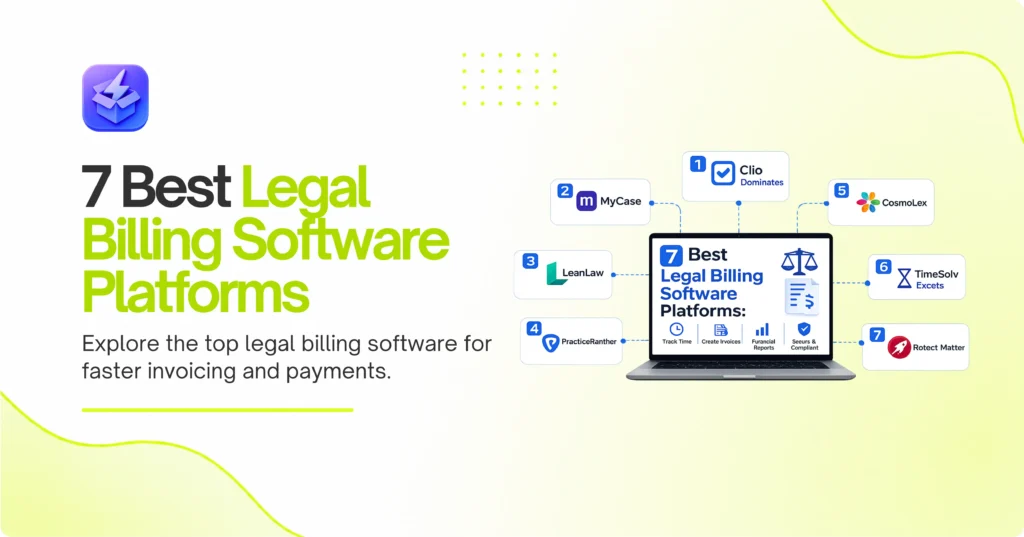
Clio reigns supreme for mid-sized firms needing complete practice management alongside their billing. Therefore, MyCase takes the runner-up spot as the top choice for solo practitioners who want predictable flat pricing. Conversely, LeanLaw offers the best integration for firms already locked into the QuickBooks ecosystem.
Walk through any busy law firm on the last day of the month, and you will see attorneys desperately hunting down sticky notes with billable hours scribbled on them. Consequently, capturing time late costs firms thousands of dollars in lost revenue every single billing cycle. Finding the best legal billing software stops this revenue leak immediately by moving timekeeping to the devices lawyers actually use. As a result, we tested the top platforms to find which ones actually reduce administrative overhead instead of just shifting it around. We looked at invoice generation, payment processing, and trust accounting compliance.

1. Clio Dominates Complete Practice Management
Clio Manage sets the industry standard for cloud-based legal billing. Specifically, it handles time tracking, invoice generation, and payment processing in one unified interface. As a result, growing firms rarely outgrow its capabilities.
Best for: Mid-sized to large law firms.
Key strengths:
- Integrates with over 200 external software tools.
- Offers built-in credit card processing through Clio Payments.
- Includes a client portal for secure invoice sharing.
Watch out for:
- The sheer number of features overwhelms new users.
- Advanced reporting requires the most expensive pricing tier.
Managing Cases Like Projects
Firms often struggle to connect their billable hours to specific case tasks. Therefore, Clio structures its billing around matters. You track time directly against a specific case file. Consequently, the invoice generates automatically with the correct client details. If you currently use one of the 7 best project management software for small teams to track tasks, Clio can replace it entirely. Thus, you consolidate your software spend.
2. MyCase Simplifies Billing for Solo Attorneys
MyCase provides a streamlined approach to legal billing without complex add-ons. Instead, it focuses on getting invoices out the door quickly. Because of this, solo practitioners spend less time clicking through menus.
Best for: Solo attorneys and small partnerships.
Key strengths:
- Features a highly intuitive dashboard for daily tasks.
- Includes unlimited e-signatures on all plans.
- Simplifies trust accounting with visual ledger balances.
Watch out for:
- Custom reporting options feel slightly limited.
- The mobile app lacks some desktop features.
The MyCase vs. Clio Decision
Many attorneys debate between MyCase and Clio. Ultimately, your choice depends on your growth plans. For example, if you plan to hire ten associates this year, Clio offers better administrative controls. Conversely, if you plan to stay small, MyCase offers a smoother daily workflow. Just as you might evaluate to cut marketing software costs, you should audit your legal tech stack. Sometimes, simpler is better.
3. LeanLaw Perfects the QuickBooks Connection
LeanLaw acts as a specialized legal layer on top of QuickBooks Online. Accordingly, it handles trust accounting and time tracking while pushing all data directly to your general ledger. As a result, your accountant never has to learn new software.
Best for: Firms already using QuickBooks Online.
Key strengths:
- Provides a true two-way sync with QuickBooks.
- Tracks profitability by attorney in real-time.
- Automates trust account reconciliation.
Watch out for:
- Requires an active QuickBooks Online subscription.
- Lacks native case management features.
Eliminating Double Data Entry
Most legal billing tools claim they integrate with accounting software. However, they usually just push flat files over once a day. In contrast, LeanLaw syncs instantly. For example, when you record a payment in LeanLaw, it appears in QuickBooks immediately. Therefore, you eliminate double data entry entirely. This sync is critical for maintaining accurate trust account records.
4. PracticePanther Speeds Up Payment Collection
PracticePanther focuses heavily on cash flow automation. Specifically, it uses automated text messages and emails to remind clients about past-due invoices. Consequently, firms see a drastic reduction in their accounts receivable.
Best for: Fast-paced practices struggling with collections.
Key strengths:
- Automates custom payment reminders via SMS.
- Offers PantherPayments for flat-rate credit card processing.
- Includes color-coded visual tags for case statuses.
Watch out for:
- The interface looks slightly dated compared to newer tools.
- Text messaging features cost extra on lower tiers.
Automating the Follow-Up
Chasing down unpaid bills wastes valuable time. Therefore, PracticePanther automates this process entirely. You set a schedule for reminders. Subsequently, the software texts the client a secure payment link three days before the due date. Because of this, clients pay faster. Many modern firms explore AI tools to improve efficiency, sometimes even asking what is the ZipTie AI Search Performance Tool? for marketing insights. Similarly, you should use automation to handle your collections.
5. CosmoLex Builds Accounting Directly Into Billing
CosmoLex takes a radically different approach to legal software. Instead of syncing with external accounting tools, it includes a full general ledger built right in. As a result, you can cancel your separate accounting software entirely.
Best for: Firms wanting an all-in-one software solution.
Key strengths:
- Includes built-in general business accounting.
- Prevents trust account overdrafts automatically.
- Generates compliance-ready financial reports instantly.
Watch out for:
- The learning curve is steep for non-accountants.
- Pricing is higher than standalone billing tools.
Handling Strict Trust Compliance
Trust accounting errors can get you disbarred. Therefore, CosmoLex builds strict safeguards into its billing engine. For instance, the system physically prevents you from printing a check if the trust account lacks sufficient funds. Consequently, you never accidentally overdraw a client ledger. This peace of mind justifies the higher monthly price tag for many managing partners.
6. TimeSolv Excels at Complex Split Billing
TimeSolv caters specifically to firms that handle complex billing arrangements. Specifically, it manages split billing, consolidated invoicing, and multiple fee schedules effortlessly. Thus, it shines in corporate and insurance defense work.
Best for: Corporate law firms with complex billing rules.
Key strengths:
- Splits invoices automatically between multiple parties.
- Runs incredibly fast, even with thousands of entries.
- Offers a desktop widget for offline time tracking.
Watch out for:
- The user interface feels highly technical.
- Customer support response times vary during peak hours.
Managing Split Billing Workflows
Insurance defense firms often split bills across multiple carriers. Typically, doing this manually requires hours of spreadsheet work. Instead, TimeSolv automates the split. You assign a percentage to each party at the start of the matter. Subsequently, the software generates separate, accurate invoices for each party automatically. Therefore, your billing team saves hours of tedious calculation every month. If you need a broader SaaS for business strategy, consolidating these workflows is a great first step.
7. Rocket Matter Focuses on Billable Hour Capture
Rocket Matter prioritizes capturing time exactly when it happens. Accordingly, it offers exceptional mobile apps and desktop timers. As a result, attorneys capture more billable time before they forget it.
Best for: Mobile-heavy attorneys who travel frequently.
Key strengths:
- Features a highly rated mobile app for iOS and Android.
- Includes a “Bill As You Work” feature for instant capture.
- Integrates deeply with Microsoft Office 365.
Watch out for:
- Initial setup takes significant time and configuration.
- Document automation requires the highest pricing tier.
Tracking Time on the Go
Lawyers lose billable time when they take phone calls outside the office. Therefore, Rocket Matter makes mobile time tracking frictionless. For example, you can start a timer on your phone while walking into court. Later, you can stop it and assign it to a matter before you even start your car. Consequently, you capture those small increments of time that usually slip through the cracks. This alone pays for the software subscription. Consider pairing this with a best law firm CRM to track client communications just as closely.
How to Choose
Pick Clio if you plan to scale aggressively and need a massive app ecosystem to support your growth. Pick MyCase if you run a small practice and want simple, flat-rate pricing without hidden fees. Pick LeanLaw if your accountant demands a flawless QuickBooks Online sync. Pick CosmoLex if you want to cancel your separate accounting software and manage everything in one place. Pick PracticePanther if you need automated text reminders to speed up collections. Pick TimeSolv if you handle complex corporate matters requiring split billing. Pick Rocket Matter if you spend half your week out of the office and need flawless mobile time tracking.