

7 Best Team Collaboration Software for Better Workflows
Writer & Blogger
Rahul Goswami
Share
Published on
Read Time
Approx 8 min
Quick Overview
Team collaboration software helps businesses communicate, organize projects, share files, manage tasks, and keep employees aligned from a central platform. Instead of switching between separate email threads, messaging apps, project boards, and document tools, teams can use collaboration software to bring important work into one organized workspace.
Modern collaboration platforms offer features such as instant messaging, video meetings, task management, file sharing, workflow automation, document collaboration, project tracking, and third-party integrations. Some platforms also use artificial intelligence (AI) to summarize conversations, generate content, automate repetitive tasks, and provide productivity insights.
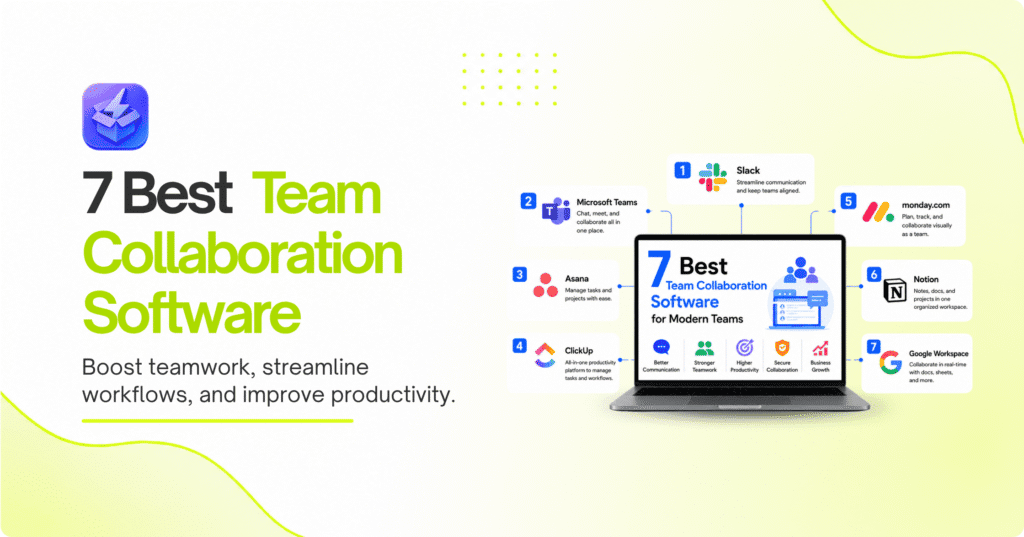
The best team collaboration software depends on your team’s size, work style, budget, and existing technology stack. Slack is an excellent choice for workplace communication, Microsoft Teams works well for organizations using Microsoft 365, Asana is strong for project management, ClickUp combines tasks and productivity tools, monday.com provides flexible work management, Notion combines documentation with collaboration, and Google Workspace offers integrated communication and productivity tools.
In this guide, we’ll compare the best team collaboration software based on communication, task management, file sharing, integrations, automation, ease of use, and overall value.
Best Team Collaboration Software Compared
| Software | Best For | Main Strength |
|---|---|---|
| Slack | Team communication | Channels and messaging |
| Microsoft Teams | Microsoft users | Communication and meetings |
| Asana | Project management | Task and workflow management |
| ClickUp | All-in-one productivity | Customizable work management |
| monday.com | Flexible teams | Visual project workflows |
| Notion | Knowledge management | Documents and collaboration |
| Google Workspace | Productivity | Integrated work tools |
1. Slack Is the Best for Team Communication
Slack is a popular collaboration platform built around real-time workplace communication. Teams can organize conversations into channels based on departments, projects, clients, or specific topics. This makes it easier to separate important discussions from general communication.
Slack also supports direct messaging, file sharing, notifications, integrations, and workflow automation. Teams can connect other business applications to Slack so that important updates appear directly inside relevant channels.
For distributed and hybrid teams, Slack can reduce the need for long email chains and make communication more immediate. Teams can also create dedicated channels for projects, allowing members to discuss work while keeping relevant information accessible to everyone involved.
Key Features
- Team and direct messaging
- Organized channels
- File sharing
- App integrations
- Workflow automation
- Searchable conversations
- Notifications
- Audio and video communication
Pros and Cons
Slack is particularly strong for fast-moving teams that communicate throughout the day. Its large integration ecosystem also makes it flexible for different workflows.
However, large organizations can end up with many channels and conversations, making information harder to find without good workspace organization. Teams may also need separate project management software for advanced task and project tracking.
2. Microsoft Teams Combines Chat and Meetings
Microsoft Teams is designed for organizations that want communication, meetings, file sharing, and collaboration in one environment. It integrates closely with Microsoft 365 applications, making it particularly useful for businesses already using Word, Excel, PowerPoint, OneDrive, and SharePoint.
Teams allows employees to communicate through channels and direct messages while also supporting video meetings, screen sharing, file collaboration, and calendar integration.
For businesses that already depend on Microsoft’s productivity ecosystem, Teams can reduce the need to manage multiple disconnected collaboration platforms.
Key Features
- Team messaging
- Video meetings
- Screen sharing
- File collaboration
- Microsoft 365 integration
- Calendar integration
- Document sharing
- Productivity integrations
Pros and Cons
Microsoft Teams is a strong choice for organizations already using Microsoft 365. Its combination of communication and productivity features makes it suitable for both remote and office-based teams.
The platform can feel complex for new users because of its large number of features and integrations. Smaller teams looking primarily for simple messaging may prefer a more lightweight collaboration tool.
3. Asana Is Best for Project and Task Management
Asana focuses on helping teams organize projects, assign tasks, establish deadlines, and track progress. Instead of relying primarily on chat, it provides a structured workspace where teams can see what needs to be done and who is responsible for each task.
Teams can organize work using lists, boards, timelines, calendars, and project views. This makes Asana particularly useful for marketing campaigns, product launches, content production, software projects, and other workflows involving multiple tasks and deadlines.
Key Features
- Task management
- Project tracking
- Timeline views
- Calendar management
- Task assignments
- Workflow automation
- Progress tracking
- Third-party integrations
Pros and Cons
Asana provides excellent visibility into projects and responsibilities. Its structured approach can help teams reduce missed deadlines and clarify ownership.
However, teams looking primarily for real-time communication may need to combine Asana with a dedicated messaging platform. Some advanced project management capabilities may also require premium plans.
4. ClickUp Offers an All-in-One Workspace
ClickUp is designed to combine project management, task management, documentation, goals, collaboration, and productivity features in one platform. This makes it attractive to teams that want to reduce the number of separate tools they use.
Teams can customize ClickUp around different workflows and choose from multiple views, including lists, boards, calendars, and timelines. The platform also supports automation and integrations that can reduce repetitive work.
Key Features
- Task management
- Project management
- Docs and documentation
- Goals
- Multiple project views
- Workflow automation
- Team collaboration
- Integrations
Pros and Cons
ClickUp’s biggest advantage is its flexibility. Teams can customize workspaces for different departments and workflows while keeping projects and documentation together.
The large number of features can also make the platform feel overwhelming during initial setup. Teams may need time to configure their workspace properly before employees can use it efficiently.
5. monday.com Provides Flexible Work Management
monday.com offers a visual approach to team collaboration and work management. Teams can use customizable boards to track projects, tasks, campaigns, sales activities, operations, and other business processes.
Its visual interface makes it easier for teams to understand project status and responsibilities at a glance. Custom columns, automations, dashboards, and integrations allow businesses to adapt the platform to different workflows.
Key Features
- Visual project boards
- Task management
- Workflow automation
- Custom dashboards
- Team collaboration
- Project tracking
- Integrations
- Reporting
Pros and Cons
monday.com is useful for teams that want customizable and visual workflows. Its flexibility allows businesses to adapt the platform to different departments.
However, extensive customization can require planning and administration. Teams looking for a very simple task list may find the platform more comprehensive than necessary.
6. Notion Combines Documentation and Collaboration
Notion combines notes, documents, databases, project information, and team collaboration in one workspace. It is particularly useful for organizations that need a centralized knowledge base alongside their project and task information.
Teams can create documentation for processes, meeting notes, project plans, company policies, content calendars, and internal resources. Pages can be shared and edited collaboratively, making it easier to keep information accessible.
Key Features
- Collaborative documents
- Knowledge bases
- Databases
- Project management
- Meeting notes
- Templates
- Task tracking
- AI-powered productivity features
Pros and Cons
Notion is excellent for teams that rely heavily on documentation and knowledge sharing. Its flexible page and database system can support many different workflows.
The same flexibility can make it difficult to establish a consistent structure across a large organization. Teams may need clear guidelines for organizing pages and databases.
7. Google Workspace Is Great for Integrated Productivity
Google Workspace brings together communication and productivity applications such as Gmail, Google Drive, Docs, Sheets, Meet, and Chat. This makes it a practical collaboration solution for teams that already rely on Google’s ecosystem.
Employees can collaborate on documents in real time, share files through Drive, communicate through Chat, and hold meetings using Google Meet. Changes are automatically synchronized, reducing the need to send multiple versions of files through email.
Key Features
- Gmail
- Google Drive
- Google Docs
- Google Sheets
- Google Meet
- Google Chat
- Real-time document collaboration
- Cloud storage
Pros and Cons
Google Workspace provides a familiar and integrated environment for everyday business collaboration. Real-time document editing is particularly useful for distributed teams.
However, organizations that require advanced project management or complex workflow automation may need to integrate additional tools.
How to Choose the Best Team Collaboration Software
The best team collaboration software depends on how your employees communicate and organize their work. A company focused primarily on messaging may prefer Slack or Microsoft Teams, while project-driven teams may benefit more from Asana, ClickUp, or monday.com.
Start by identifying the biggest problems your current workflow creates. If employees struggle to find information, documentation-focused tools such as Notion may help. If projects regularly miss deadlines, structured project management software may be more useful.
Compare Communication and Project Features
Consider whether your team needs:
- Instant messaging
- Video conferencing
- Task management
- Project tracking
- File sharing
- Document collaboration
- Workflow automation
- Team calendars
- Reporting and dashboards
A collaboration platform should make work easier rather than create another layer of administration. Choose features based on how your team actually works instead of selecting a platform simply because it offers the largest number of tools.
Consider Integrations, Security, and Scalability
Integrations are important when your team already uses CRM, accounting, cloud storage, marketing, or development tools. Check whether the collaboration platform connects with the applications employees use every day.
Security should also be considered, particularly when teams share confidential business information. Review user permissions, authentication options, data controls, administrative features, and compliance requirements.
Finally, consider scalability. A platform that works well for a small team should ideally continue supporting your organization as employees, projects, and departments grow.
Final Thought
The best team collaboration software should make communication clearer, projects easier to manage, and information more accessible. Slack is a strong option for teams that prioritize real-time communication, while Microsoft Teams is particularly useful for organizations already using Microsoft 365.
Asana is well suited to structured project and task management, ClickUp provides an extensive all-in-one workspace, and monday.com offers flexible visual workflows. Notion stands out for documentation and knowledge management, while Google Workspace provides a familiar collection of communication and productivity tools.
Before choosing a platform, identify the collaboration problems your team wants to solve. Consider communication, task management, file sharing, integrations, security, automation, and scalability. It can also be useful to test shortlisted platforms with a real project before committing to a long-term subscription.
The right collaboration software should reduce friction rather than add complexity. When configured properly, it can help teams stay organized, communicate efficiently, and keep projects moving toward completion.
FAQ
What is team collaboration software?
Team collaboration software helps employees communicate, share information, manage tasks, organize projects, collaborate on documents, and coordinate work from a centralized platform.
What is the best team collaboration software overall?
There is no single best option for every team. Slack is strong for communication, Microsoft Teams works well with Microsoft 365, Asana is excellent for project management, and ClickUp provides a broad all-in-one workspace.
Is collaboration software useful for remote teams?
Yes. Collaboration platforms can help remote teams communicate, share files, conduct meetings, assign tasks, and track project progress without needing employees to work from the same location.
What is the best collaboration software for project management?
Asana, ClickUp, and monday.com are strong choices for project-focused teams because they provide task management, project views, assignments, deadlines, and workflow features.
Can collaboration software integrate with other business tools?
Yes. Many collaboration platforms integrate with applications such as CRM systems, cloud storage, calendars, communication tools, marketing platforms, and productivity software.
How much does team collaboration software cost?
Pricing varies by provider, number of users, features, and subscription plan. Many platforms offer free or limited plans, while advanced features, larger teams, and enterprise capabilities generally require paid subscriptions.