

Monday vs Asana: Which Project Management Tool Is Better?
Writer & Blogger
Rahul Goswami
Share
Published on
Read Time
Approx 8 min
Monday.com and Asana are two popular project management and team collaboration platforms designed to help businesses organize tasks, manage projects, automate workflows, and keep teams aligned. Both tools can replace spreadsheets and scattered communication by giving teams a centralized place to plan work, assign responsibilities, monitor progress, and manage deadlines.
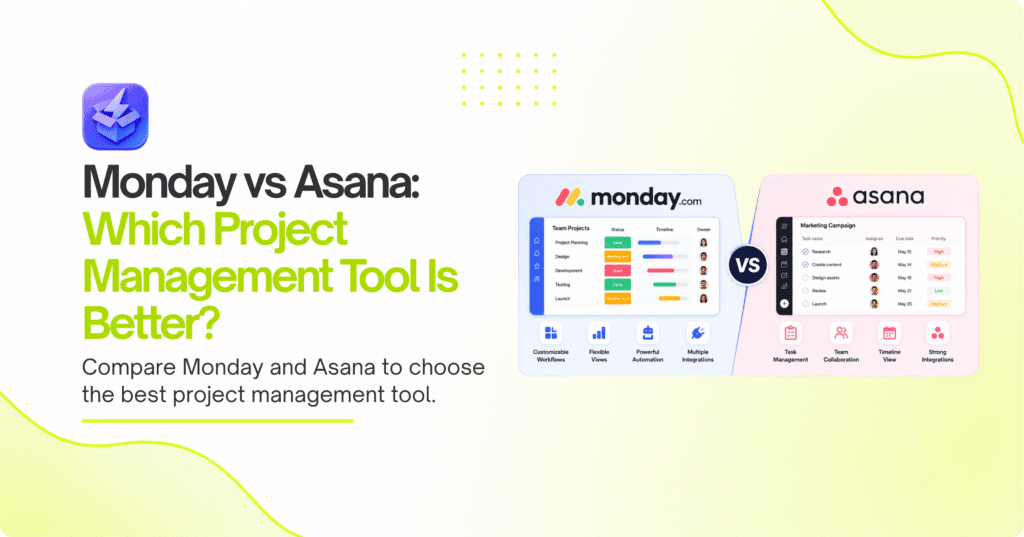
However, Monday.com and Asana take slightly different approaches to project management. Monday.com focuses heavily on customizable visual workspaces, boards, dashboards, automations, and flexible workflows. Asana takes a more structured approach to task and project management, making it particularly useful for teams that need clear responsibilities, deadlines, dependencies, and project visibility.
Monday.com can be a strong choice for teams that want to customize their workflows across different departments, while Asana is well suited to teams that prefer straightforward project and task management.
In this guide, we’ll compare Monday.com vs Asana based on project management, task organization, workflow automation, collaboration, customization, integrations, ease of use, and overall value.
Monday.com vs Asana Compared
| Feature | Monday.com | Asana |
|---|---|---|
| Best For | Flexible work management | Structured project management |
| Task Management | Highly customizable | Structured and intuitive |
| Project Views | Boards, timelines, calendars, dashboards | Lists, boards, timelines, calendars |
| Automation | Extensive workflow automation | Workflow automation |
| Collaboration | Strong | Strong |
| Customization | Excellent | Very good |
| Reporting | Advanced dashboards | Project and portfolio reporting |
| Integrations | Large integration ecosystem | Large integration ecosystem |
| Ease of Use | Easy after setup | Generally easy to learn |
| Best For Teams | Cross-functional teams | Project-focused teams |
What Makes Monday.com a Strong Project Management Platform?
Monday.com is a flexible work management platform designed to help teams organize projects, tasks, processes, and business operations through customizable visual boards. Instead of forcing every team to follow the same workflow, Monday.com allows organizations to create boards and columns around the way they actually work.
A marketing team, for example, can use a board to manage campaigns, content, approvals, and publishing dates. A sales team can create a workflow for leads and opportunities, while an operations team can track requests and recurring processes. This flexibility makes Monday.com useful beyond traditional project management.
The platform also provides multiple ways to visualize work. Teams can use boards, timelines, calendars, dashboards, and other views to understand project status and responsibilities. Automations can reduce repetitive work, such as assigning tasks, sending notifications, changing statuses, or moving work between stages.
Monday.com can therefore be particularly useful for organizations managing different types of work across multiple departments. Its customization allows businesses to create workflows that fit their processes rather than adapting their processes to a rigid software structure.
Key Features of Monday.com
Monday.com provides a broad range of project and work management capabilities, including:
- Customizable project boards
- Task and status tracking
- Timeline and calendar views
- Workflow automation
- Custom dashboards
- Team collaboration
- File sharing
- Forms
- Time tracking
- Third-party integrations
Pros and Cons of Monday.com
Pros
- Highly customizable workflows
- Strong visual project management
- Useful dashboards and reporting
- Extensive automation options
- Suitable for different departments
- Multiple project views
Cons
- Extensive customization can require setup time
- Large workspaces can become complicated without clear organization
- Some advanced capabilities may require higher-tier plans
Monday.com is best for teams that want flexibility and control over how their work is organized. Its biggest strength is its ability to support different workflows within the same organization.
What Makes Asana a Strong Project Management Platform?
Asana takes a more structured approach to project and task management. The platform helps teams break larger projects into tasks, assign responsibilities, set deadlines, establish dependencies, and monitor progress.
This approach makes Asana particularly useful for teams working on projects with multiple steps and clearly defined deliverables. Marketing campaigns, product launches, content calendars, software development projects, and event planning are examples of workflows that can benefit from Asana’s structured organization.
Teams can view projects using lists, boards, calendars, and timeline-style views. This allows employees to choose a format that makes the work easiest to understand while maintaining a centralized project structure.
Asana also supports workflow automation, integrations, project reporting, and collaboration features. Managers can use these capabilities to understand project progress and identify work that needs attention.
Compared with Monday.com, Asana can feel more focused on traditional project and task management. This can be an advantage for teams that do not need extensive customization and simply want a clear system for managing projects.
Key Features of Asana
Important Asana capabilities include:
- Task management
- Project organization
- Task assignments
- Deadlines and due dates
- Dependencies
- Timeline views
- Calendar views
- Workflow automation
- Project reporting
- Third-party integrations
Pros and Cons of Asana
Pros
- Clear task and project organization
- Intuitive project workflows
- Strong dependency management
- Multiple project views
- Useful automation capabilities
- Good collaboration features
Cons
- Less flexible than Monday.com for highly customized workflows
- Advanced features may require higher plans
- Large projects can require careful organization
Asana is particularly well suited to teams that want a structured project management environment. Its straightforward approach can make it easier for teams to establish consistent project workflows.
Monday.com vs Asana: Which Has Better Task Management?
Both Monday.com and Asana provide strong task management, but their approaches are different. Monday.com gives users more freedom to customize how tasks are represented and organized. Teams can create custom columns, statuses, workflows, and dashboards based on their requirements.
This flexibility can be valuable when different departments have completely different processes. A content team, sales team, and customer support team can each build workflows that match their specific activities.
Asana focuses more on structured task management. Tasks can be assigned to specific team members, given deadlines, organized into projects, and connected through dependencies. This makes it easier to understand how individual tasks contribute to a larger project.
For straightforward project management, Asana’s structure can be easier to manage. For organizations with unique workflows that require significant customization, Monday.com may provide more flexibility.
Winner: Monday.com for customization; Asana for structured task management.
Monday.com vs Asana: Which Offers Better Automation?
Automation is an important part of modern project management because repetitive administrative tasks can consume significant amounts of employee time.
Monday.com offers extensive workflow automation that can be configured around different boards and processes. Teams can automate notifications, status changes, assignments, and other repetitive actions. This makes it useful for organizations that want to build customized workflows.
Asana also provides automation capabilities that help teams automate repetitive project activities. Rules and workflow features can reduce manual updates and help teams maintain consistent processes.
The better choice depends on the complexity of your workflows. Monday.com is generally more attractive when teams need highly customized automations across different types of work. Asana works well when automation is primarily supporting structured project workflows.
Winner: Monday.com for customization; Asana for straightforward project automation.
Monday.com vs Asana: Which Is Easier to Use?
Ease of use depends heavily on how much customization your team requires.
Asana’s structured approach can make the initial experience relatively straightforward. Teams can create projects, add tasks, assign team members, and establish deadlines without extensive configuration.
Monday.com can also be intuitive, but its large number of customization options means teams may spend more time configuring boards, columns, automations, and dashboards. This additional setup can be worthwhile for businesses that need customized workflows.
For a small team that wants to begin managing projects quickly, Asana may feel more straightforward. For organizations willing to invest time in building a customized workspace, Monday.com can provide greater flexibility.
Winner: Asana for simplicity; Monday.com for customization.
Monday.com vs Asana: Which Is Better for Collaboration?
Both platforms support team collaboration by keeping project information, tasks, responsibilities, and updates in a centralized environment.
Monday.com provides collaboration through workspaces, task updates, files, notifications, dashboards, and customizable project boards. Teams can see project information in a visual format and communicate around individual work items.
Asana also allows team members to collaborate directly within projects and tasks. Comments, assignments, due dates, attachments, and project updates help keep discussions connected to the work itself.
Neither platform is primarily designed to replace every communication tool a business uses. Teams may still use Slack, Microsoft Teams, email, or other communication platforms for real-time conversations.
Winner: Tie. Both provide strong project-based collaboration.
How to Choose Between Monday.com and Asana
Choosing between Monday.com and Asana should begin with your team’s actual workflow rather than simply comparing feature counts.
Monday.com is a better fit when flexibility is the priority. Teams that manage different processes across marketing, sales, operations, HR, or customer service can benefit from creating customized boards and workflows. Its dashboards and automation capabilities also make it useful for organizations that want to build a broader work management system.
Asana is a strong choice when structured project management is more important. Teams can create projects, assign tasks, establish deadlines, manage dependencies, and track progress without needing to heavily customize the system.
Choose Monday.com If You Need Flexibility
Monday.com may be the better choice if your team needs:
- Highly customizable workflows
- Visual project boards
- Advanced dashboards
- Cross-department workflows
- Extensive automation
- Flexible status and data fields
Choose Asana If You Need Structured Projects
Asana may be the better option if your team prioritizes:
- Clear task management
- Project dependencies
- Deadlines and assignments
- Structured workflows
- Simple project organization
- Project-focused collaboration
Consider Integrations and Scalability
Both platforms provide integrations with other business applications, so review your current technology stack before making a decision. Consider whether the software connects with your communication, CRM, cloud storage, calendar, marketing, and productivity tools.
Scalability is also important. A platform that works for a five-person team should ideally continue to support your organization as projects and departments grow.
Final Thought
Monday.com and Asana are both strong project management platforms, but they are designed around different approaches. Monday.com stands out for flexibility, customization, visual workflows, dashboards, and automation. Asana focuses more heavily on structured project and task management, making it a strong choice for teams that want clear responsibilities, deadlines, and dependencies.
Choose Monday.com if your organization needs a highly customizable work management environment that can support different departments and processes. Its flexibility makes it particularly valuable for businesses that want to design workflows around their existing operations.
Choose Asana if your primary goal is straightforward project and task management. Its structured approach can make it easier for teams to organize projects and maintain clear accountability.
There is no universal winner. The better platform depends on how your team works, how much customization you need, and whether your priority is flexible work management or structured project execution. Before subscribing, test both platforms with a real project and determine which one feels more natural for your team.
FAQ
Which is better, Monday.com or Asana?
Neither platform is best for every team. Monday.com is stronger for customizable workflows, while Asana is particularly strong for structured project and task management.
Is Monday.com easier to use than Asana?
Asana may feel easier for teams that want straightforward project management. Monday.com offers more customization, but teams may need additional setup time to configure their workspace.
Which is better for small teams?
Both platforms can work well for small teams. Asana may be preferable for teams that want simple project management, while Monday.com can be better when the team needs customized workflows.
Does Monday.com have better automation than Asana?
Monday.com offers extensive workflow customization and automation. Asana also provides automation features, but Monday.com may be more suitable for teams that need highly customized workflows.
Can Monday.com and Asana replace communication tools?
They can support project-related communication, but many teams continue using dedicated communication platforms such as Slack or Microsoft Teams for real-time conversations.
Can Monday.com and Asana integrate with other software?
Yes. Both platforms support integrations with a range of business and productivity applications. Before choosing one, check whether it integrates with the specific tools your team already uses.