

1Password vs Bitwarden: Which Password Manager Is Better?
Writer & Blogger
Rahul Goswami
Share
Published on
Read Time
Approx 8 min
1Password and Bitwarden are two popular password managers designed to help users securely store passwords, payment information, secure notes, and other sensitive data. Both tools use encryption to protect stored information and provide features that make it easier to create, manage, and use strong passwords across websites and applications.
Although they solve the same basic problem, 1Password and Bitwarden take different approaches. 1Password focuses on a polished user experience, advanced security features, convenient organization, and a feature-rich ecosystem for individuals, families, and businesses. Bitwarden is known for its open-source approach, flexible features, broad platform support, and strong value for users who want extensive password management capabilities.
The better option depends on what you prioritize. 1Password can be attractive to users who want an intuitive interface and a highly polished experience, while Bitwarden may appeal to privacy-conscious and technically experienced users who value transparency and customization.
In this guide, we compare 1Password vs Bitwarden based on security, password management, ease of use, sharing, cross-platform support, features, and overall usability.
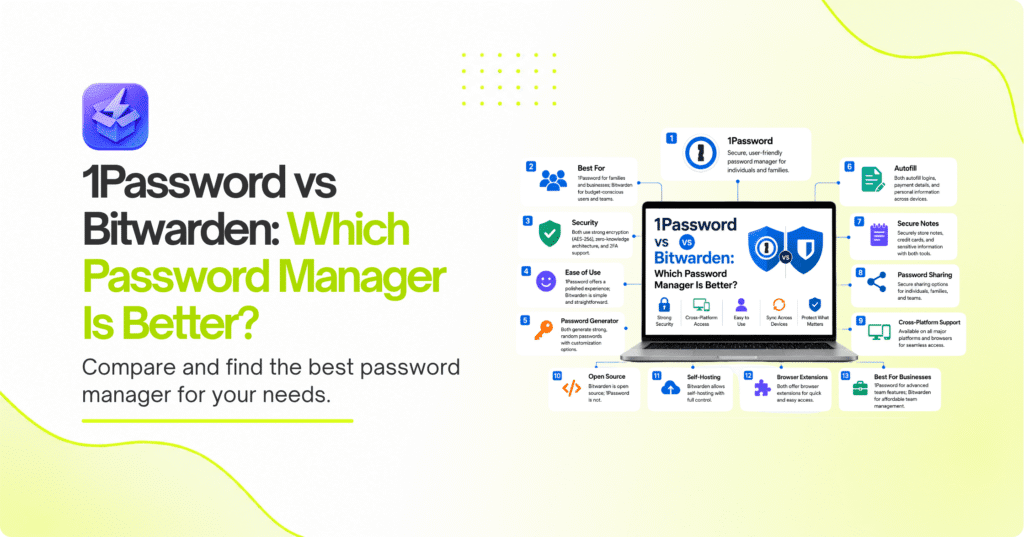
1Password vs Bitwarden Compared
| Feature | 1Password | Bitwarden |
|---|---|---|
| Best For | Polished password management | Flexible and open-source password management |
| Security | Strong encryption and security features | Strong encryption and open-source approach |
| Ease of Use | Excellent | Very Good |
| Password Generator | Yes | Yes |
| Autofill | Yes | Yes |
| Secure Notes | Yes | Yes |
| Password Sharing | Strong | Strong |
| Cross-Platform Support | Excellent | Excellent |
| Open Source | No | Yes |
| Self-Hosting | No | Yes |
| Browser Extensions | Yes | Yes |
| Best For Businesses | Teams and organizations wanting a polished experience | Organizations wanting flexibility and control |
What Makes 1Password a Strong Password Manager?
1Password is designed to make password management secure while keeping the everyday experience simple. Instead of remembering dozens of passwords, users can store credentials in an encrypted vault and use the application or browser extension to automatically fill login information.
The platform supports more than passwords. Users can store secure notes, payment information, identity details, software licenses, and other sensitive information in organized vaults. This makes 1Password useful as a broader digital information manager rather than simply a password storage application.
One of 1Password’s major strengths is its user experience. The interface is designed for people who may not have extensive technical knowledge, making it relatively easy to organize information, search vaults, generate passwords, and access credentials across devices.
1Password also provides features for families and organizations. Shared vaults can help teams or family members securely access information without sending passwords through email or messaging applications.
Key Features of 1Password
1Password provides features such as:
- Encrypted password vaults
- Password generation
- Browser autofill
- Secure notes
- Secure document storage
- Shared vaults
- Password sharing
- Browser extensions
- Mobile applications
- Desktop applications
- Security monitoring
- Business administration features
Why Choose 1Password?
1Password is a strong choice for users who want a polished password management experience without having to configure many technical settings.
Its organization features can also make it easier to manage large collections of credentials. Users can separate personal and professional information and create shared vaults when multiple people need access to selected credentials.
The main consideration is that users who specifically want an open-source password manager or self-hosting capabilities may find Bitwarden more appealing.
What Makes Bitwarden a Strong Password Manager?
Bitwarden is a password management platform known for combining strong security features with an open-source approach. It allows users to store passwords and sensitive information in an encrypted vault and access them across supported devices and browsers.
One of Bitwarden’s biggest differences from 1Password is its open-source nature. Its source code is publicly available, which allows the broader security and developer community to inspect and evaluate the software.
Bitwarden also offers flexibility for technically experienced users. In addition to its hosted service, Bitwarden provides self-hosting capabilities, giving organizations and individuals greater control over where their password management infrastructure operates.
The platform supports password generation, autofill, secure notes, identity information, payment information, sharing, and other password management functions.
Key Features of Bitwarden
Important Bitwarden features include:
- Encrypted password vaults
- Password generation
- Browser autofill
- Secure notes
- Identity storage
- Payment information storage
- Password sharing
- Browser extensions
- Desktop and mobile applications
- Open-source software
- Self-hosting capabilities
- Organization features
Why Choose Bitwarden?
Bitwarden is particularly appealing to users who value transparency, flexibility, and control. Its open-source model differentiates it from many proprietary password managers.
Self-hosting can also be useful for technically capable users and organizations that want greater control over their infrastructure.
However, users who prioritize a highly polished interface and a simpler experience may prefer 1Password.
1Password vs Bitwarden: Which Is More Secure?
Security is the most important consideration when choosing a password manager because the application protects credentials for many other accounts.
Both 1Password and Bitwarden are designed around strong encryption and secure vault architecture. They are intended to ensure that sensitive information remains protected while stored and synchronized between devices.
1Password uses a security architecture designed to protect vault data, while Bitwarden combines encryption with its open-source development model. Bitwarden’s source availability gives security-conscious users and researchers an opportunity to examine how the software works.
However, security does not depend only on the password manager. Users also need to protect their master credentials, enable available multi-factor authentication options, keep applications updated, and avoid sharing sensitive information through insecure channels.
For most users, both platforms provide a strong foundation for password security.
Winner: Tie. Both offer strong security approaches, with Bitwarden having an additional advantage for users who value open-source transparency.
1Password vs Bitwarden: Which Is Easier to Use?
Ease of use is one area where 1Password has a strong advantage.
1Password is designed around a polished interface that makes it relatively easy to create vaults, organize credentials, generate passwords, and use browser autofill. The experience is designed to minimize the amount of technical knowledge required from users.
Bitwarden is also straightforward for everyday password management, but some of its additional options and settings can make the platform feel more technical. This is not necessarily a disadvantage. Experienced users may appreciate having more control over how the system is configured.
For someone who simply wants to install a password manager and start saving passwords, 1Password may provide a smoother experience. Bitwarden is still accessible to beginners but can be particularly attractive to users who want additional flexibility.
Winner: 1Password.
1Password vs Bitwarden: Which Has Better Password Sharing?
Password sharing is important for families and teams that need to access the same accounts.
1Password uses vaults to organize credentials and control access. Families can share selected information, while businesses can create shared environments where employees access the credentials required for their roles.
Bitwarden also supports secure sharing and organization-based password management. Teams can create collections and control access to shared credentials rather than sending passwords directly through email or messaging applications.
Both approaches are significantly safer than manually copying passwords into chats or documents.
The better option depends on the organization’s requirements. 1Password’s polished sharing experience can be appealing to teams that want simplicity, while Bitwarden’s flexibility may be more attractive to technically oriented organizations.
Winner: Tie.
1Password vs Bitwarden: Which Offers Better Cross-Platform Support?
A password manager becomes much more useful when it works consistently across the devices and browsers you use.
Both 1Password and Bitwarden provide applications and browser extensions that allow users to access credentials across different environments. This means users can save a password on a computer and access it later from a supported mobile device.
Browser extensions are especially important because they allow passwords to be automatically filled when users visit websites.
Both platforms support common desktop and mobile environments, making them practical choices for users who regularly switch between devices.
Winner: Tie.
1Password vs Bitwarden: Which Offers More Advanced Features?
Both password managers offer more than basic password storage, but their strengths are different.
1Password focuses on providing a comprehensive and polished feature set. Users can organize credentials into multiple vaults, store secure information, share selected items, and monitor aspects of their account security.
Bitwarden provides many comparable password management capabilities while emphasizing flexibility and open-source development. Its self-hosting option is particularly notable for technically capable users who want more control over the infrastructure behind their password manager.
For users who want advanced features without spending much time configuring the system, 1Password can be more convenient.
For users who enjoy technical control and want options such as self-hosting, Bitwarden can be more appealing.
Winner: Bitwarden for flexibility; 1Password for convenience.
How to Choose Between 1Password and Bitwarden
Choosing between 1Password and Bitwarden largely comes down to your preferred balance between simplicity, flexibility, transparency, and control.
If you want a polished application that feels easy to use across personal, family, and business environments, 1Password is an excellent option. Its organization and sharing features can make password management straightforward even for users who are not technically experienced.
Bitwarden is particularly attractive if open-source software is important to you. Its self-hosting capabilities also provide an additional level of control that many mainstream password managers do not offer.
Choose 1Password If You Need Simplicity
1Password may be the better option if you prioritize:
- A polished user interface
- Easy password organization
- Simple vault management
- Convenient autofill
- Family sharing
- Business collaboration
- A smooth experience across devices
Choose Bitwarden If You Want Flexibility
Bitwarden may be the better choice if you prioritize:
- Open-source software
- Greater technical control
- Self-hosting
- Flexible password management
- Cross-platform support
- Security transparency
- A technically configurable environment
Consider Your Security Habits
Regardless of which password manager you choose, your own security practices remain important.
Use a strong master password and enable multi-factor authentication where available. Keep your applications updated and avoid storing sensitive credentials in unsecured spreadsheets, text files, or messaging applications.
A password manager is most effective when it becomes part of your everyday security routine.
Final Thought
1Password and Bitwarden are both strong password managers, but they appeal to slightly different types of users.
1Password stands out for its polished interface, convenient organization, sharing capabilities, and overall ease of use. It is a particularly good choice for individuals, families, and businesses that want a feature-rich password manager without dealing with unnecessary technical complexity.
Bitwarden differentiates itself through its open-source approach, flexible functionality, and self-hosting capabilities. It is particularly appealing to privacy-conscious and technically experienced users who want greater transparency and control over their password management environment.
If ease of use and a polished experience are your highest priorities, 1Password is likely to be the better fit. If open-source transparency, flexibility, and self-hosting matter more, Bitwarden deserves serious consideration.
There is no universal winner. The best password manager is the one that you will consistently use to generate unique passwords, protect your credentials, and improve your overall account security.
Before making your decision, consider your devices, number of users, sharing requirements, technical expertise, and preferred security model. Both platforms can provide a significant improvement over reusing passwords or storing credentials insecurely.
FAQ
Which is better, 1Password or Bitwarden?
1Password is a strong choice for users who prioritize ease of use and a polished experience. Bitwarden is better suited to users who value open-source software, flexibility, and self-hosting.
Is Bitwarden more secure than 1Password?
Both platforms use strong security and encryption approaches. Bitwarden’s open-source model provides additional transparency, while 1Password has its own security architecture and features. Your master password and security practices also play an important role.
Is 1Password easier to use than Bitwarden?
Generally, 1Password is known for its polished and user-friendly interface. Bitwarden is also accessible but provides additional flexibility that may appeal more to technically experienced users.
Can I use 1Password and Bitwarden on multiple devices?
Yes. Both password managers provide support across common desktop, mobile, and browser environments, allowing users to access their credentials from multiple devices.
Does Bitwarden support self-hosting?
Yes. Bitwarden provides self-hosting capabilities, which can be useful for technically capable individuals and organizations that want greater control over their password management infrastructure.
Should I switch from 1Password to Bitwarden?
It depends on your priorities. Switching may make sense if you specifically want Bitwarden’s open-source approach, self-hosting capabilities, or flexibility. If you are satisfied with 1Password’s interface and features, there may be little reason to switch.