

7 Best Legal Practice Management Software for Law Firms
Writer & Blogger
Rahul Goswami
Share
Published on
Read Time
Approx 8 min
Quick Overview
Legal practice management software helps law firms manage cases, clients, documents, calendars, billing, payments, and daily operations from one platform. Instead of relying on spreadsheets, email, separate calendars, and disconnected billing tools, attorneys can manage their work through a centralized system.
The right software can help law firms save time, improve organization, track billable hours, automate client communication, and protect sensitive legal information. Some platforms focus on complete practice management, while others are particularly strong in billing, document management, legal accounting, or client collaboration.
Choosing the best legal practice management software depends on your firm’s size, practice area, budget, team structure, and workflow. Clio is a strong overall option for firms that need a complete platform, while MyCase is popular with solo attorneys and small firms. PracticePanther offers a user-friendly workflow, Smokeball focuses on document-heavy practices, and CosmoLex is a strong choice for firms that want built-in accounting.
In this guide, we compare seven of the best legal practice management software platforms based on features, ease of use, billing, integrations, collaboration, and overall value.
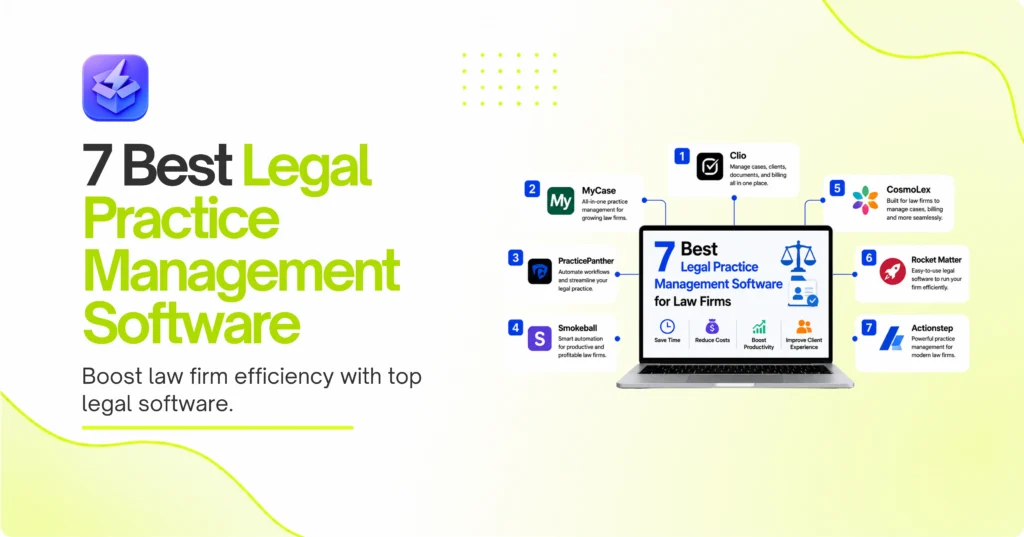
Best Legal Practice Management Software Compared
| Software | Best For | Main Strength |
|---|---|---|
| Clio | Growing law firms | Complete practice management |
| MyCase | Solo attorneys | Simple and affordable workflow |
| PracticePanther | Small and mid-sized firms | User-friendly automation |
| Smokeball | Document-heavy firms | Document management |
| CosmoLex | Legal accounting | Built-in accounting |
| Rocket Matter | Billing-focused firms | Time tracking and billing |
| Actionstep | Complex practices | Workflow customization |
1. Clio Is the Best Overall Legal Practice Management Software
Clio is one of the most widely recognized legal practice management platforms. It combines case management, client communication, document organization, time tracking, billing, payments, scheduling, and integrations in one cloud-based system.
The platform is suitable for solo attorneys as well as growing law firms. Attorneys can organize matters, track deadlines, manage client information, and collaborate with team members without relying on multiple disconnected systems. Clio also has a large ecosystem of integrations, which makes it easier for firms to connect their existing business tools.
Key Features for Legal Teams
Clio can help firms manage:
- Case and matter information
- Client communication
- Time and expense tracking
- Legal billing and payments
- Documents and files
- Calendars and deadlines
- Client portals
- Third-party integrations
Why Choose Clio?
Clio is a strong choice for firms that want a complete legal technology platform that can grow with the business. Its large feature set is also its main drawback because new users may need time to learn the system.
Overall, Clio is best suited to firms that want a scalable platform rather than a simple billing or task management tool.
2. MyCase Simplifies Practice Management for Small Firms
MyCase is designed for solo attorneys and small law firms that want a straightforward way to manage cases and clients. Its platform brings together case management, billing, communication, documents, calendars, and online payments.
The software focuses on simplifying everyday legal work. Attorneys can manage their matters from a central dashboard instead of switching between multiple applications.
Useful Features for Solo Attorneys
MyCase includes tools for:
- Case management
- Client communication
- Online payments
- Document sharing
- Calendaring
- Time tracking
- Legal billing
Is MyCase Good for Small Law Firms?
MyCase is particularly appealing to smaller practices that want an intuitive interface and a relatively simple workflow. Solo attorneys may benefit from having core practice management tools in one platform without the complexity of a larger enterprise system.
However, larger firms with highly complex workflows may require more advanced customization and administrative controls. For solo practitioners and small firms, MyCase remains a practical option.
3. PracticePanther Offers User-Friendly Legal Automation
PracticePanther is a legal practice management platform designed to help firms manage cases, clients, documents, billing, payments, and daily workflows. Its interface focuses on making common legal tasks easier to organize.
The platform can help law firms automate repetitive processes and improve communication with clients. This can be particularly useful for firms that want to reduce administrative work.
Automate Repetitive Legal Tasks
PracticePanther can help automate:
- Client follow-ups
- Payment reminders
- Task assignments
- Case workflows
- Billing processes
- Appointment scheduling
Automation can help attorneys and staff spend less time on repetitive administrative work.
Best for Growing Practices
PracticePanther is a good fit for small and mid-sized firms that want a modern platform without building complicated custom systems. Its combination of case management and automation makes it useful for firms that are growing and need more structure.
Firms with highly specialized requirements may still need to evaluate the platform’s customization capabilities carefully.
4. Smokeball Is Strong for Document-Heavy Law Firms
Smokeball is designed for law firms that deal with large amounts of documents and case-related information. Its platform combines practice management with document management, automation, billing, and productivity tools.
This makes it especially useful for practices where creating, organizing, and finding legal documents is a major part of daily work.
Manage Documents More Efficiently
Smokeball can help firms organize:
- Case files
- Legal documents
- Templates
- Client information
- Emails
- Matter-related data
Document automation can also help reduce the time required to create repetitive legal documents.
Who Should Choose Smokeball?
Smokeball is best suited to firms that want to improve document workflows and reduce manual administrative work. It can be particularly useful for practices that regularly use templates and manage a large number of files.
However, firms that primarily need advanced financial management or highly customized enterprise workflows may want to compare it with other platforms.
5. CosmoLex Combines Practice Management and Accounting
CosmoLex is a strong option for law firms that want practice management and accounting capabilities in one platform. Unlike software that requires separate accounting systems, CosmoLex focuses on combining legal billing, trust accounting, and general financial management.
This can help firms reduce the need to move financial data between different systems.
Built-In Legal Accounting
CosmoLex can support:
- Trust accounting
- Legal billing
- Expense tracking
- Financial reporting
- General accounting
- Client ledgers
Having these tools in one system can help firms maintain better visibility into their financial operations.
Best for Firms That Want One System
CosmoLex is particularly useful for firms that want to manage both legal work and accounting from one platform. However, users who are not comfortable with accounting software may need additional time to learn its financial features.
For firms that want strong accounting functionality alongside legal practice management, CosmoLex is a compelling option.
6. Rocket Matter Focuses on Time Tracking and Billing
Rocket Matter is a legal practice management platform with a strong focus on time tracking, billing, and productivity. It can help attorneys capture billable time, manage matters, generate invoices, and monitor firm performance.
This is particularly important for firms that bill clients by the hour and need accurate time tracking.
Capture More Billable Time
Rocket Matter can help attorneys track time through:
- Desktop timers
- Mobile time tracking
- Matter-based time entries
- Automated billing workflows
- Expense tracking
Capturing time as work happens can help reduce the amount of billable work that is forgotten at the end of the day.
Best for Billing-Focused Firms
Rocket Matter is a strong choice for firms that want to improve billing accuracy and time capture. It may be less suitable for firms that need extremely specialized document automation or complex enterprise customization.
For attorneys who spend significant time working outside the office, mobile time tracking can also be particularly useful.
7. Actionstep Is Built for Complex Legal Workflows
Actionstep is a practice management platform designed for law firms that need customizable workflows. It can help firms manage matters, documents, tasks, billing, and client relationships while adapting the software to their specific processes.
Customize Workflows for Different Practice Areas
Law firms often have different procedures for different types of cases. Actionstep can help firms create workflows based on their own requirements.
Possible workflow areas include:
- Matter intake
- Case milestones
- Document management
- Task assignments
- Billing
- Client communication
Is Actionstep Right for Your Firm?
Actionstep is best suited to firms that need more customization than a standard out-of-the-box platform provides. However, greater flexibility can also mean a more complicated setup process.
It is a good choice for firms with complex processes that are willing to invest time in configuring their practice management environment.
How to Choose the Best Legal Practice Management Software
The best legal practice management software depends on the size of your firm, the type of cases you handle, and the processes you want to improve. A solo attorney may need simple case management and billing, while a larger firm may require advanced reporting, document automation, integrations, and administrative controls.
Compare Features and Integrations
Clio is a strong choice for firms that want a complete and scalable system. MyCase is a good option for solo attorneys and small practices. PracticePanther focuses on user-friendly workflows, while Smokeball is particularly useful for document-heavy practices.
CosmoLex is best for firms that want integrated accounting. Rocket Matter is useful for firms that prioritize time tracking and billing, while Actionstep is better suited to organizations that need more workflow customization.
Consider Security, Pricing, and Scalability
Legal firms manage highly sensitive client information, so security should be an important part of your decision. Review data protection, user permissions, backups, integrations, and access controls before choosing a platform.
You should also consider how the software will support your firm’s growth. A platform that works for a solo attorney may not be the best choice after the firm adds several attorneys and support staff.
Final Thought
The best legal practice management software should help your firm reduce administrative work, improve organization, and provide a smoother experience for attorneys, staff, and clients. Clio is a strong all-around option for firms that want a complete platform with room to grow. MyCase is well suited to solo attorneys and small practices that value simplicity.
PracticePanther is a good option for firms that want user-friendly automation, while Smokeball is particularly useful for document-heavy practices. CosmoLex stands out for integrated accounting, Rocket Matter is strong for time tracking and billing, and Actionstep is a good fit for firms with complex workflows that require customization.
Before selecting software, list the processes you want to improve and compare each platform based on those requirements. The right software can help your firm manage cases more efficiently, improve billing accuracy, organize documents, and reduce the amount of time spent on repetitive administrative tasks.
FAQ
What is legal practice management software?
Legal practice management software helps law firms manage cases, clients, documents, calendars, billing, payments, tasks, and other daily operations from one platform.
What is the best legal practice management software overall?
Clio is one of the strongest overall options because it combines case management, billing, client communication, documents, scheduling, and integrations in one platform.
What is the best software for solo attorneys?
MyCase is a strong option for solo attorneys and small firms that want a simple and user-friendly practice management system.
Can legal practice management software handle billing?
Yes. Many platforms offer time tracking, expense management, invoice generation, online payments, and financial reporting.
Is cloud-based legal software secure?
Cloud-based legal software can provide strong security features such as encryption, access controls, backups, and secure data storage. However, firms should review the security policies of each provider before choosing a platform.
How much does legal practice management software cost?
Pricing varies based on the platform, number of users, features, and subscription plan. Firms should compare total costs, including optional features, integrations, payment processing, and additional users.