

Quick Answer
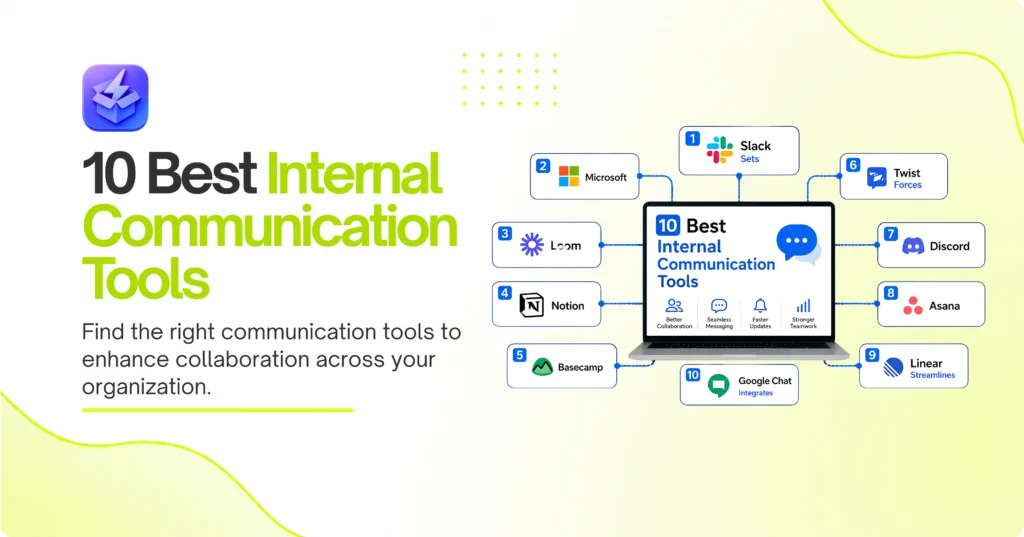
Slack remains the top pick for fast-moving startups needing real-time chat and deep integrations. Alternatively, Microsoft Teams wins the enterprise category due to its tight security and video capabilities. For remote teams fighting burnout, Twist offers the best asynchronous, threaded experience.
According to Gallup’s 2023 State of the Global Workplace report, 85% of employees are not engaged at work. Poor communication frequently drives this massive disconnect. Finding the best internal communication tools fixes this gap directly. We tested these platforms across remote, hybrid, and in-office setups. Specifically, we evaluated them on message organization, search speed, and integration depth. Consequently, the right tool reduces context switching. It keeps your team aligned.

1. Slack sets the standard for real-time chat
Slack organizes conversations into dedicated channels. Consequently, it keeps project discussions focused and searchable. Pick it if your team relies heavily on third-party app integrations.
Best for: Fast-moving teams needing immediate, real-time chat.
Key strengths:
- Massive app directory that connects to almost anything.
- Highly customizable notification triggers.
- Fast, reliable search function across years of messages.
Watch out for:
- High potential for severe notification fatigue.
- Expensive per-user pricing on paid tiers as your team grows.
Tracking marketing campaigns
Marketing teams often juggle multiple platforms daily. For instance, teams managing campaigns via the 10 Best Social Media Management Tools for Modern Teams can pipe notifications directly into a specific Slack channel. Therefore, everyone sees updates instantly. This eliminates the need for daily status meetings. Ultimately, your team moves faster.
2. Microsoft Teams secures enterprise communication
Microsoft Teams bundles chat, video, and file sharing into one platform. Naturally, it dominates the corporate space. Pick this if your company already pays for Office 365.
Best for: Large enterprises needing strict security compliance.
Key strengths:
- Deep integration with Word, Excel, and SharePoint.
- Built-in video conferencing for large groups.
- Enterprise-grade data security and compliance controls.
Watch out for:
- Clunky user interface that feels slow.
- Steep learning curve for non-technical employees.
Managing corporate compliance
IT departments require strict data controls across all software. Consequently, Teams delivers enterprise-grade security out of the box. If your sales team uses one of the 6 Options for the Best CRM for Insurance Agents, Teams integrates securely to protect client data. Thus, compliance becomes automatic. You avoid costly security breaches.
3. Notion replaces chaotic chats with structured wikis
Real-time chat often buries important decisions within hours. Notion, instead, acts as an asynchronous knowledge base. Choose this tool if your team loses documents in endless chat threads.
Best for: Asynchronous teams needing a central source of truth.
Key strengths:
- Highly flexible document formatting.
- Interlinked pages that act like an internal website.
- Collaborative editing in real time.
Watch out for:
- Too much flexibility can lead to messy organization.
- Not designed for urgent, quick-fire messaging.
Building an employee handbook
Onboarding remote hires takes significant time. Specifically, answering the same questions wastes hours for managers. Notion solves this completely. You can build a central, searchable wiki. Therefore, new employees find answers independently. They get up to speed much faster.
4. Loom replaces meetings with asynchronous video
Scheduling meetings across time zones frustrates everyone. Loom solves this by letting you record your screen and camera simultaneously. Pick this tool to replace unnecessary status syncs.
Best for: Remote teams spanning multiple time zones.
Key strengths:
- Instant sharing links generate the moment you stop recording.
- Viewer insights show exactly who watched the video.
- Time-stamped comments keep feedback organized.
Watch out for:
- Requires a quiet environment to record effectively.
- Videos can become outdated quickly as projects change.
Delivering design feedback
Typing out visual feedback rarely works well. Instead, you can record a three-minute Loom video. Consequently, the designer sees exactly where your cursor points. This prevents endless revision cycles. Ultimately, projects ship on time.
5. Basecamp centralizes project-based discussions
Scattered tools create massive confusion. Basecamp puts messages, tasks, and files in one unified space. Choose this platform if you want to eliminate chat apps entirely.
Best for: Agencies and small teams wanting all-in-one simplicity.
Key strengths:
- Flat pricing model regardless of team size.
- Clear division between projects and company-wide announcements.
- Built-in automatic check-ins replace standup meetings.
Watch out for:
- Lacks advanced task dependencies for complex projects.
- The interface feels dated compared to newer tools.
Running a client project
Clients often lose email threads easily. Basecamp provides a dedicated, secure client portal. As a result, all approvals happen in one place. You never have to hunt for a sign-off again. Therefore, this keeps the project moving forward smoothly.
6. Twist forces calm through threaded conversations
Constant pings destroy deep work. Twist enforces threaded conversations by default. Pick this if your team suffers from severe notification fatigue.
Best for: Deep-work focused teams prioritizing calm communication.
Key strengths:
- No online presence indicators to create artificial urgency.
- Every conversation requires a specific subject line.
- Inbox-style interface keeps unread messages organized.
Watch out for:
- Not suitable for urgent incident response.
- Requires a massive cultural shift to adopt successfully.
Discussing complex technical architecture
Engineers need uninterrupted time to think. Twist keeps technical debates neatly organized in specific threads. Therefore, developers can check in twice a day. They never miss important context. Consequently, code quality improves.
7. Discord provides always-on voice channels
Remote work often feels highly isolated. Discord features drop-in audio channels that simulate an open office. Choose this if your team needs constant, casual verbal collaboration.
Best for: Gaming studios and highly collaborative remote pods.
Key strengths:
- Instant, frictionless voice and video channels.
- Excellent screen sharing performance with low latency.
- Completely free for most core features.
Watch out for:
- Gamer-centric branding feels unprofessional to some clients.
- Lacks native integrations with common enterprise software.
Pair programming remotely
Developers frequently need quick help on tricky code. Specifically, they can jump into a Discord voice channel instantly. Consequently, screen sharing happens immediately without generating meeting links. This fixes bugs significantly faster.
8. Asana ties daily communication directly to tasks
Discussing work away from the actual work causes delays. Asana keeps all comments attached to specific tasks. Pick this if your team struggles with accountability.
Best for: Operations and project management teams.
Key strengths:
- Clear ownership assigned to every single task.
- Comments live exactly where the work happens.
- Automated status updates keep stakeholders informed.
Watch out for:
- Can feel overwhelming for simple, quick tasks.
- Expensive for large teams needing advanced features.
Launching a new feature
Product launches require strict timelines. Asana lets you comment directly on the specific launch task. Therefore, everyone knows the exact status instantly. Accountability increases naturally. Consequently, deadlines rarely slip.
9. Linear streamlines communication for product teams
Generic chat apps annoy software developers. Linear focuses entirely on issue tracking with built-in communication. Choose this tool if you build software products.
Best for: High-performing software engineering teams.
Key strengths:
- Blistering fast, keyboard-first interface.
- Deep integration with GitHub and GitLab.
- Automated issue closing tied to pull requests.
Watch out for:
- Too complex for non-technical departments like HR.
- Lacks general company-wide announcement features.
Tracking bug reports
QA teams find bugs constantly. Tracking technical issues with the What Is the ZipTie AI Search Performance Tool? platform generates automated alerts. Consequently, these alerts pipe directly into Linear. Engineers discuss the fix right on the ticket. Thus, resolution times drop dramatically.
10. Google Chat integrates seamlessly with Workspace
Paying for extra tools wastes money unnecessarily. Google Chat comes free with Workspace accounts. Pick this if you want a simple, budget-friendly option.
Best for: Companies already heavily invested in Google Workspace.
Key strengths:
- Included at no extra cost with Google plans.
- Seamless sharing of Docs, Sheets, and Slides.
- Integrates directly into the Gmail interface.
Watch out for:
- Clunky threading makes long conversations hard to read.
- Limited integration with non-Google products.
Collaborating on spreadsheets
Finance teams live in spreadsheets daily. Google Chat lets them discuss numbers right alongside the document. Thus, the context remains perfectly clear. You never have to explain which cell you mean. This speeds up the monthly close.
How to Choose
Pick Slack if you need speed and deep software integrations. Pick Microsoft Teams if you require strict enterprise security. Pick Twist if your team needs focused, uninterrupted time. Pick Notion if you want to document decisions permanently. Pick Loom if you hate typing out complex visual explanations.
You must align your tool with your specific company culture. A fast-paced sales floor needs different software than a quiet engineering team. Similarly, an agency needs different tools than a law firm. Look at your existing ai productivity suites and choose the communication option that connects to them seamlessly. Choose the option that matches how your people actually work.