topsoftwareoffers.com

Software

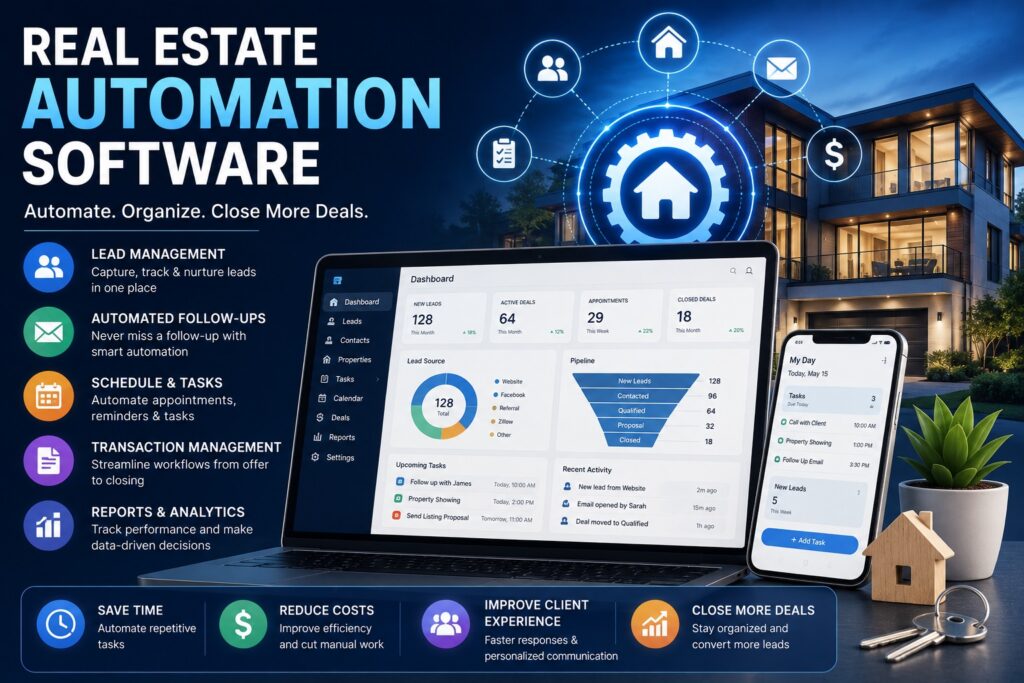
real estate automation software
Software

7 Best Real Estate Automation Software in 2026

7 Best Real Estate Automation Software in 2026 Writer & Bloggerย  Rahul Goswami Share Published on August 3, 2026 Read Time Approx 8 min Quick Overview Real estate automation software helps agents, brokers, property managers, and real estate businesses automate repetitive tasks such as lead management, email marketing, appointment scheduling, document generation, transaction tracking, and client communication. By reducing manual work, these platforms allow professionals to focus on closing deals and building stronger client relationships. Modern real estate automation tools use artificial intelligence (AI), workflow automation, customer relationship management (CRM), and analytics to streamline daily operations. Many platforms also integrate with Multiple Listing Services (MLS), email providers, marketing tools, accounting software, and electronic signature solutions, creating a centralized system for managing the entire sales process. The best real estate automation software depends on your business size, budget, and workflow requirements. Follow Up Boss is an excellent CRM for lead management, kvCORE offers powerful marketing automation, HubSpot provides an all-in-one CRM platform, Salesforce delivers enterprise-grade automation, Propertybase is ideal for growing brokerages, Zoho CRM offers affordability and flexibility, and LionDesk specializes in communication automation. In this guide, we’ll compare the best real estate automation software based on features, automation capabilities, integrations, ease of use, pricing, and overall value. Best Real Estate Automation Software Compared Software Best For Main Strength Follow Up Boss Real estate agents Lead management automation kvCORE Brokerages Marketing automation HubSpot CRM Growing businesses CRM & workflow automation Salesforce Enterprises Advanced automation Propertybase Brokerages End-to-end real estate CRM Zoho CRM Small businesses Affordable automation LionDesk Communication Automated follow-ups 1. Follow Up Boss Is the Best Overall Real Estate Automation Software Follow Up Boss is one of the most popular CRM platforms built specifically for real estate professionals. It automatically captures leads from websites, advertising platforms, and property portals while helping agents manage communications from one dashboard. Its automation tools reduce response times, schedule follow-ups, assign leads, and track the sales pipeline, ensuring that no opportunity is overlooked. Key Features Pros and Cons Follow Up Boss is easy to use and highly effective for lead management. While it focuses primarily on CRM functionality, businesses needing advanced marketing automation may benefit from pairing it with additional tools. 2. kvCORE Excels at Marketing Automation kvCORE combines CRM, lead generation, marketing automation, and website management into a single platform. It helps real estate professionals nurture leads through automated email campaigns, text messaging, and personalized property recommendations. The platform also includes IDX websites, helping agents attract new prospects while automating engagement. Key Features Pros and Cons kvCORE is ideal for brokerages and teams looking for comprehensive marketing automation. Smaller agencies with limited budgets may find its pricing higher than simpler CRM solutions. 3. HubSpot CRM Offers Flexible Workflow Automation HubSpot CRM provides automation tools that help real estate businesses organize contacts, automate follow-up emails, manage deals, and monitor sales performance. Its drag-and-drop workflow builder allows businesses to automate repetitive tasks without requiring technical expertise. Key Features Pros and Cons HubSpot is an excellent option for businesses wanting a flexible CRM beyond real estate. Some advanced automation features are only available on premium plans. 4. Salesforce Delivers Enterprise-Level Automation Salesforce is a highly customizable CRM platform used by large real estate organizations. It automates lead routing, opportunity management, document workflows, reporting, and customer communications. Its AI-powered Einstein platform provides predictive insights that help sales teams prioritize leads and improve conversion rates. Key Features Pros and Cons Salesforce offers unmatched flexibility and scalability. However, implementation often requires additional configuration and training. 5. Propertybase Is Designed for Growing Brokerages Propertybase combines CRM, transaction management, marketing, and back-office automation into a single platform built specifically for the real estate industry. It enables brokerages to manage listings, clients, transactions, and marketing campaigns more efficiently. Key Features Pros and Cons Propertybase is an excellent fit for expanding brokerages. Smaller independent agents may find simpler CRM solutions sufficient. 6. Zoho CRM Provides Affordable Automation Zoho CRM offers customizable automation for lead management, sales workflows, customer communication, and reporting. Its affordability makes it a popular option for small real estate agencies and independent agents. The platform integrates with many third-party business applications, improving operational efficiency. Key Features Pros and Cons Zoho CRM delivers strong value for small businesses. Some advanced automation capabilities require higher subscription tiers. 7. LionDesk Simplifies Client Communication LionDesk focuses on automating communication between real estate professionals and clients. It supports email campaigns, SMS marketing, video messaging, and automated follow-up sequences. These tools help agents maintain consistent communication throughout the buying or selling process. Key Features Pros and Cons LionDesk is ideal for agents prioritizing communication and lead nurturing. Organizations needing broader business automation may require additional software. How to Choose the Best Real Estate Automation Software The best real estate automation software depends on your business goals and workflow. Independent agents often need simple lead management and communication tools, while brokerages may require marketing automation, transaction management, and advanced reporting. Compare Core Features Look for software that includes: Consider Integrations and Scalability Choose software that integrates with MLS platforms, email providers, e-signature tools, accounting software, and marketing applications. Scalability is equally important if you expect your real estate business to grow over time. Final Thought Real estate automation software helps professionals save time, improve client communication, and increase sales efficiency. Follow Up Boss remains one of the best overall platforms for lead management, while kvCORE excels at marketing automation. HubSpot CRM provides flexible workflows, Salesforce offers enterprise-grade automation, Propertybase supports growing brokerages, Zoho CRM delivers excellent value, and LionDesk strengthens client communication through automated follow-ups. Before selecting a platform, compare features, integrations, pricing, and ease of use. The right real estate automation software can streamline daily operations, improve lead conversion, and help your business close more deals with less manual effort. FAQ What is real estate automation software? Real estate automation software helps agents and brokerages automate tasks such as lead management, follow-ups, marketing, transaction tracking, and client communication. Which real estate automation software is the best?


best identity theft protection services
Software

7 Best Identity Theft Protection Services in 2026

7 Best Identity Theft Protection Services in 2026 Writer & Bloggerย  Rahul Goswami Share Published on August 3, 2026 Read Time Approx 8 min Quick Overview Identity theft is becoming more common as cybercriminals target personal information through data breaches, phishing attacks, financial fraud, and stolen credentials. Identity theft protection services help monitor your sensitive information, alert you to suspicious activity, and assist with identity recovery if your personal data is compromised. The best identity theft protection services offer features such as credit monitoring, dark web monitoring, Social Security number tracking, identity restoration, fraud alerts, and identity theft insurance. Some providers also include VPNs, password managers, antivirus software, and family protection plans for comprehensive digital security. Choosing the right service depends on your monitoring needs, budget, and the level of protection you require. Aura is an excellent all-around solution, Norton LifeLock combines identity protection with cybersecurity, Identity Guard leverages AI-powered monitoring, Experian IdentityWorks focuses on credit monitoring, IDShield provides licensed private investigator support, IdentityForce offers comprehensive protection, and McAfee+ includes identity monitoring alongside cybersecurity features. In this guide, we compare the best identity theft protection services based on monitoring capabilities, recovery assistance, security features, pricing, and overall value. Best Identity Theft Protection Services Compared Service Best For Main Strength Aura Overall protection Comprehensive identity monitoring Norton LifeLock Cybersecurity Identity & device protection Identity Guard AI monitoring IBM Watson-powered alerts Experian IdentityWorks Credit monitoring Credit protection IDShield Recovery services Licensed private investigators IdentityForce Families Comprehensive identity protection McAfee+ Digital security Identity monitoring with antivirus 1. Aura Is the Best Overall Identity Theft Protection Service Aura offers one of the most comprehensive identity protection platforms available. It combines identity monitoring, fraud alerts, credit monitoring, financial account monitoring, dark web surveillance, VPN access, password management, and identity theft insurance in a single subscription. The platform continuously monitors your personal information and immediately notifies you of suspicious activity, allowing you to respond before significant damage occurs. Key Features Pros and Cons Aura provides an excellent balance of identity protection and cybersecurity features. While premium plans cost more than basic monitoring services, they deliver broader protection for individuals and families. 2. Norton LifeLock Combines Identity Protection and Cybersecurity Norton LifeLock integrates identity theft protection with antivirus, VPN, password management, and online privacy tools. Users receive alerts when their personal information appears on the dark web or when suspicious activity affects monitored accounts. Its all-in-one approach makes it popular among users who want both cybersecurity and identity monitoring. Key Features Pros and Cons Norton LifeLock is ideal for users seeking comprehensive digital protection. Some advanced features are only available in higher-tier subscription plans. 3. Identity Guard Uses AI to Detect Fraud Identity Guard leverages IBM Watson AI technology to analyze potential threats and identify suspicious activity. The platform continuously monitors personal information, financial accounts, and public records for signs of identity theft. Its AI-powered alerts help users respond quickly to potential fraud. Key Features Pros and Cons Identity Guard excels at intelligent fraud detection and proactive monitoring. Users seeking bundled cybersecurity tools may prefer alternatives offering antivirus and VPN services. 4. Experian IdentityWorks Excels at Credit Monitoring Experian IdentityWorks focuses on protecting users’ credit profiles while also providing identity monitoring and fraud alerts. It monitors credit reports, financial activity, and personal information for suspicious changes. Individuals concerned primarily with credit fraud may find IdentityWorks particularly valuable. Key Features Pros and Cons Experian IdentityWorks is one of the strongest choices for credit-focused identity protection. Broader cybersecurity tools are limited compared to some competitors. 5. IDShield Provides Professional Identity Recovery IDShield stands out by offering licensed private investigators who help restore your identity if fraud occurs. Instead of only sending alerts, the service provides hands-on recovery assistance. This additional support can significantly reduce the stress associated with recovering from identity theft. Key Features Pros and Cons IDShield offers exceptional recovery services. However, users looking primarily for bundled cybersecurity features may find other providers more comprehensive. 6. IdentityForce Offers Strong Family Protection IdentityForce provides comprehensive monitoring for individuals and families. The platform monitors personal information, financial accounts, Social Security numbers, and criminal records while providing identity restoration assistance. Its family plans help protect children and multiple household members under one subscription. Key Features Pros and Cons IdentityForce is an excellent option for families seeking comprehensive identity protection. Pricing may be higher than entry-level identity monitoring services. 7. McAfee+ Combines Identity Monitoring with Security McAfee+ extends beyond antivirus by offering identity monitoring, personal data cleanup, password management, VPN services, and online privacy tools. Users who already rely on McAfee security products can manage cybersecurity and identity protection from one platform. Key Features Pros and Cons McAfee+ is ideal for users seeking an integrated cybersecurity solution. Dedicated identity protection services may offer more advanced monitoring capabilities. How to Choose the Best Identity Theft Protection Service Choosing the right identity theft protection service depends on the level of monitoring and support you need. If your primary concern is credit fraud, choose a provider with strong credit monitoring. Families may benefit from plans covering multiple household members, while users seeking complete digital security should consider services that bundle identity monitoring with antivirus, VPNs, and password managers. Compare Core Features Look for services that include: Evaluate Recovery Support Identity monitoring alerts are valuable, but recovery assistance is equally important. Choose providers that offer dedicated restoration specialists or licensed investigators to help recover your identity if theft occurs. Final Thought Identity theft protection services help safeguard your personal information, monitor financial activity, and provide support if fraud occurs. Aura stands out as the best overall solution by combining identity monitoring, credit protection, cybersecurity tools, and identity theft insurance. Norton LifeLock offers strong all-in-one digital security, Identity Guard leverages AI-powered monitoring, Experian IdentityWorks excels at credit protection, IDShield provides exceptional recovery assistance, IdentityForce delivers comprehensive family coverage, and McAfee+ combines cybersecurity with identity monitoring. Before choosing a provider, compare monitoring capabilities, recovery services, identity insurance, cybersecurity features, and pricing. The right identity theft protection service

ai in human resources
Software

7 Best AI in Human Resources Tools for Smarter HR Management

7 Best AI in Human Resources Tools for Smarter HR Management Writer & Bloggerย  Rahul Goswami Share Published on July 31, 2026 Read Time Approx 8 min Quick Overview Artificial intelligence (AI) is transforming human resources by helping businesses automate repetitive HR tasks, improve hiring decisions, enhance employee engagement, and streamline workforce management. From resume screening and candidate sourcing to employee onboarding and performance analysis, AI enables HR teams to focus more on strategic initiatives instead of administrative work. Modern AI HR software can analyze resumes, schedule interviews, answer employee questions through chatbots, predict employee turnover, personalize learning programs, and generate workforce insights. These capabilities help organizations improve efficiency while delivering a better experience for both recruiters and employees. The best AI human resources software depends on your company’s size, hiring volume, budget, and HR goals. Workday is an excellent enterprise solution, BambooHR simplifies HR management for small businesses, Rippling combines HR with IT automation, Deel streamlines global hiring, Greenhouse focuses on AI-powered recruitment, Eightfold AI excels at talent intelligence, and SAP SuccessFactors offers comprehensive workforce management. In this guide, we compare the best AI in Human Resources tools based on automation, recruitment capabilities, employee management, analytics, integrations, and overall value. Best AI Human Resources Software Compared Software Best For Main Strength Workday Enterprises AI-powered workforce management BambooHR Small businesses Easy HR management Rippling HR & IT automation Employee lifecycle automation Deel Global hiring International payroll & compliance Greenhouse Recruiting AI hiring tools Eightfold AI Talent management AI talent intelligence SAP SuccessFactors Large organizations Enterprise HR suite 1. Workday Is the Best Overall AI HR Software Workday is one of the leading enterprise human resource management platforms. It uses AI to improve recruiting, workforce planning, employee development, payroll management, and HR analytics. Organizations can automate repetitive HR processes while gaining real-time insights into workforce performance and employee engagement. Key Features Why Choose Workday? Workday is ideal for medium and large organizations looking for an all-in-one HR platform. Its advanced AI capabilities help improve hiring decisions, workforce planning, and employee development, although smaller businesses may find it more comprehensive than necessary. 2. BambooHR Simplifies Human Resource Management BambooHR is designed for small and growing businesses that need an easy-to-use HR platform. It helps automate employee records, onboarding, time-off management, and performance tracking. The platform reduces manual administrative work while improving employee experiences. Key Features Pros and Cons BambooHR offers an intuitive interface and straightforward HR workflows. While it may not provide the extensive enterprise features found in larger platforms, it is an excellent solution for small businesses. 3. Rippling Combines HR and IT Automation Rippling brings together HR, payroll, benefits, identity management, and IT administration into a single platform. AI and automation simplify employee onboarding, software provisioning, payroll, and compliance. Businesses can automatically create employee accounts, assign devices, and manage applications from one dashboard. Key Features Pros and Cons Rippling is ideal for companies that want HR and IT managed together. Organizations with simple HR needs may not require its extensive automation capabilities. 4. Deel Makes Global Hiring Easier Deel helps businesses hire employees and contractors across multiple countries while managing payroll, tax compliance, and employment regulations. AI-powered automation simplifies international hiring and reduces administrative complexity. Key Features Pros and Cons Deel is an excellent choice for remote-first and international businesses. Companies hiring only locally may not need its global employment features. 5. Greenhouse Improves AI-Powered Recruitment Greenhouse is a recruiting platform that uses AI to streamline candidate sourcing, resume screening, interview scheduling, and hiring workflows. Recruiters can improve hiring efficiency while creating a better candidate experience. Key Features Pros and Cons Greenhouse is well suited for companies with active hiring needs. Organizations looking for complete HR management may need additional HR software alongside it. 6. Eightfold AI Specializes in Talent Intelligence Eightfold AI uses artificial intelligence to help organizations identify, recruit, retain, and develop talent. It analyzes employee skills, recommends career opportunities, and supports workforce planning. Its AI-powered talent intelligence helps businesses make better long-term hiring and employee development decisions. Key Features Pros and Cons Eightfold AI is particularly useful for large organizations focused on talent development. Smaller businesses may not require its advanced AI capabilities. 7. SAP SuccessFactors Supports Enterprise Workforce Management SAP SuccessFactors provides a comprehensive HR suite covering recruiting, onboarding, payroll, employee experience, learning, and performance management. Its AI features help organizations improve workforce planning and automate HR processes across global operations. Key Features Pros and Cons SAP SuccessFactors is best suited for large enterprises managing complex HR operations. Smaller organizations may find implementation more resource-intensive. How to Choose the Best AI Human Resources Software The right AI HR software depends on your organization’s hiring needs, workforce size, and long-term HR strategy. Small businesses often prioritize simple employee management and onboarding, while larger organizations require workforce planning, compliance management, learning platforms, and advanced analytics. Compare Important Features When evaluating AI HR software, consider whether it includes: Consider Scalability and Integrations Choose software that integrates with payroll, accounting, communication, and productivity tools. Your HR platform should also support business growth without requiring a complete system replacement in the future. Final Thought AI is reshaping human resources by helping organizations automate repetitive work, improve hiring decisions, and deliver better employee experiences. Workday remains one of the strongest enterprise HR solutions, while BambooHR offers simplicity for smaller businesses. Rippling combines HR with IT automation, Deel simplifies global hiring, Greenhouse enhances recruitment, Eightfold AI delivers powerful talent intelligence, and SAP SuccessFactors provides comprehensive workforce management for large enterprises. Before selecting an AI HR platform, identify your biggest HR challenges and compare each solution based on automation, integrations, scalability, and pricing. The right software can reduce administrative work, improve recruitment, enhance employee engagement, and support long-term business grow. FAQ What is AI in Human Resources? AI in Human Resources refers to the use of artificial intelligence to automate HR tasks such as recruitment, onboarding, employee management, performance analysis, and workforce planning. How is AI used in HR? AI can screen resumes,

best ai productivity tools
Software

7 Best AI Productivity Tools for Smarter Work in 2026

7 Best AI Productivity Tools for Smarter Work in 2026 Writer & Bloggerย  Rahul Goswami Share Published on July 31, 2026 Read Time Approx 8 min Quick Overview AI productivity tools help individuals and businesses automate repetitive tasks, organize information, improve collaboration, and work more efficiently. Whether you’re writing documents, managing projects, scheduling meetings, or analyzing data, AI can reduce manual work and save valuable time. Modern AI productivity software can summarize meetings, generate emails, create presentations, organize notes, automate workflows, and provide intelligent recommendations. Some tools focus on personal productivity, while others are designed for enterprise collaboration. The best AI productivity tool depends on your workflow and business needs. Microsoft Copilot is ideal for Microsoft 365 users, ChatGPT is a versatile AI assistant, Notion AI excels at knowledge management, ClickUp AI improves project workflows, Grammarly enhances writing, Motion optimizes scheduling, and Google Gemini integrates seamlessly with Google Workspace. In this guide, we compare the best AI productivity tools based on features, ease of use, automation, integrations, collaboration, and overall value. Best AI Productivity Tools Compared Tool Best For Main Strength Microsoft Copilot Microsoft users AI across Microsoft 365 ChatGPT General productivity AI assistant Notion AI Knowledge management Smart writing & notes ClickUp AI Project management AI task automation Grammarly Writing AI writing assistance Motion Time management AI scheduling Google Gemini Google Workspace Workspace integration 1. Microsoft Copilot Is the Best AI Productivity Tool for Microsoft 365 Microsoft Copilot integrates AI directly into Word, Excel, Outlook, Teams, and PowerPoint. It helps users draft documents, summarize emails, create presentations, analyze spreadsheets, and automate everyday office tasks without leaving Microsoft 365. Key Features Why Choose Microsoft Copilot? Microsoft Copilot is an excellent choice for businesses already using Microsoft 365. It improves productivity by bringing AI into applications employees already use every day. 2. ChatGPT Is the Most Versatile AI Productivity Assistant ChatGPT assists with writing, brainstorming, coding, research, summaries, planning, email drafting, and problem-solving. It has become one of the most widely used AI tools for professionals, marketers, students, developers, and business owners. Key Features Pros and Cons ChatGPT is highly flexible and works across many industries. However, users should always verify AI-generated information before using it for business or technical purposes. 3. Notion AI Makes Knowledge Management Smarter Notion AI combines note-taking, documentation, project management, and AI writing into one platform. Teams can organize information while using AI to summarize notes, draft content, and answer questions. Key Features Pros and Cons Notion AI is ideal for teams managing large amounts of information. Businesses already using Notion can significantly improve collaboration and documentation. 4. ClickUp AI Improves Project Management ClickUp AI helps teams automate project management tasks, generate documentation, summarize updates, create action items, and improve collaboration within a single workspace. Key Features Pros and Cons ClickUp AI is well suited for organizations already using ClickUp. Smaller teams with basic project management needs may not require its advanced features. 5. Grammarly Goes Beyond Grammar Checking Grammarly has evolved into a complete AI writing assistant. It can improve grammar, rewrite sentences, adjust tone, generate emails, and help users create professional content. Key Features Pros and Cons Grammarly is excellent for professionals who write frequently. It is less suitable for broader workflow automation outside content creation. 6. Motion Uses AI for Smart Scheduling Motion combines calendars, task management, and AI scheduling to automatically organize workdays. It prioritizes tasks, schedules meetings, and helps users stay focused. Key Features Pros and Cons Motion is especially useful for professionals with busy schedules. Users with simple scheduling needs may not require its advanced automation capabilities. 7. Google Gemini Enhances Google Workspace Google Gemini integrates AI across Gmail, Docs, Sheets, Meet, and other Google Workspace applications. It helps users draft emails, summarize documents, generate content, analyze spreadsheets, and collaborate more efficiently. Key Features Pros and Cons Google Gemini is a strong choice for organizations already using Google Workspace. Businesses outside Google’s ecosystem may benefit more from other AI tools. How to Choose the Best AI Productivity Tool The best AI productivity tool depends on your existing software and daily workflow. Microsoft 365 users should consider Copilot, while Google Workspace users may benefit most from Gemini. ChatGPT offers flexibility across many different tasks, and Notion AI is ideal for documentation and knowledge management. Compare Core Features Look for tools that provide: Consider Scalability Choose a platform that fits your current workflow while supporting future growth. Integration with your existing business applications is often more valuable than having the largest number of AI features. Final Thought AI productivity tools are changing how businesses and professionals work by reducing repetitive tasks and improving efficiency. Microsoft Copilot is an excellent choice for Microsoft users, ChatGPT remains one of the most versatile AI assistants, and Notion AI is ideal for organizing information. ClickUp AI supports project management, Grammarly enhances writing, Motion optimizes scheduling, and Google Gemini strengthens Google Workspace productivity. Before choosing a platform, compare features, integrations, pricing, and scalability. The right AI productivity tool can save time, improve collaboration, and help individuals and teams work more efficiently. FAQ What are AI productivity tools? AI productivity tools use artificial intelligence to automate tasks, improve organization, generate content, summarize information, and enhance collaboration. Which AI productivity tool is the best? Microsoft Copilot, ChatGPT, and Notion AI are among the best options, depending on your workflow and software ecosystem. Are AI productivity tools suitable for small businesses? Yes. Many AI productivity tools are affordable and help small businesses save time while improving efficiency. Which AI tool is best for writing? Grammarly, ChatGPT, Microsoft Copilot, and Notion AI are excellent choices for AI-assisted writing. Do AI productivity tools integrate with other software? Yes. Most leading AI productivity tools integrate with email platforms, project management software, cloud storage, calendars, CRM systems, and workplace collaboration tools. AI productivity tools use artificial intelligence to automate tasks, improve organization, generate content, summarize information, and enhance collaboration. Microsoft Copilot, ChatGPT, and Notion AI are among the best options, depending on your

ai bookkeeping software
Software

7 Best AI Bookkeeping Software for Small Businesses in 2026

7 Best AI Bookkeeping Software for Small Businesses in 2026 Writer & Bloggerย  Rahul Goswami Share Published on July 30, 2026 Read Time Approx 8 min Quick Overview AI bookkeeping software helps businesses automate financial tasks such as transaction categorization, expense tracking, invoice management, bank reconciliation, financial reporting, and cash flow monitoring. Instead of spending hours entering data manually, businesses can use artificial intelligence to organize financial records, reduce errors, and improve accuracy. Modern AI bookkeeping platforms go beyond traditional accounting software by automatically recognizing transactions, detecting duplicate entries, generating financial insights, and simplifying routine bookkeeping tasks. Many also integrate with bank accounts, payment gateways, payroll systems, and accounting software to create a more connected financial workflow. The best AI bookkeeping software depends on your business size, accounting needs, budget, and existing financial tools. QuickBooks Online is a strong all-around choice, while Xero is popular among growing businesses. FreshBooks works well for freelancers, Zoho Books offers excellent value for small businesses, Sage Intacct targets larger organizations, Wave provides a free option for startups, and Puzzle AI focuses on AI-powered bookkeeping automation. In this guide, we compare the best AI bookkeeping software based on automation, integrations, ease of use, reporting, pricing, and overall value. Best AI Bookkeeping Software Compared Software Best For Main Strength QuickBooks Online Overall bookkeeping AI-powered accounting Xero Growing businesses Automation & integrations FreshBooks Freelancers Simple invoicing Zoho Books Small businesses Affordable automation Sage Intacct Enterprises Advanced financial management Wave Startups Free bookkeeping Puzzle AI AI-first bookkeeping Automated accounting 1. QuickBooks Online Is the Best Overall AI Bookkeeping Software QuickBooks Online is one of the most widely used accounting platforms for businesses of all sizes. Its AI-powered bookkeeping features help automate expense categorization, transaction matching, invoice tracking, and financial reporting. Businesses can connect bank accounts, monitor cash flow, create invoices, process payments, and generate reports from one dashboard. AI features reduce manual bookkeeping while helping users identify unusual transactions and financial trends. Key Features Why Choose QuickBooks Online? QuickBooks Online is ideal for businesses looking for a complete bookkeeping solution with powerful automation features. Although pricing can increase as businesses grow, it remains one of the most comprehensive accounting platforms available. 2. Xero Is Great for Growing Businesses Xero combines cloud accounting with intelligent bookkeeping automation. It simplifies bank reconciliation, invoice management, expense tracking, and financial reporting through automation. Its extensive integration marketplace allows businesses to connect hundreds of third-party applications, making it suitable for expanding companies. Key Features Pros and Cons Xero offers an intuitive interface and strong automation capabilities. It works especially well for businesses expecting future growth, although new users may need time to learn some advanced features. 3. FreshBooks Simplifies Bookkeeping for Freelancers FreshBooks focuses on freelancers, consultants, and service-based businesses that need easy bookkeeping without unnecessary complexity. Users can automatically track expenses, create invoices, manage payments, and monitor project profitability from one platform. Key Features Pros and Cons FreshBooks is simple to use and ideal for small service businesses. However, larger organizations requiring advanced accounting features may need a more comprehensive platform. 4. Zoho Books Offers Excellent Value Zoho Books combines bookkeeping automation with invoicing, inventory, banking, tax management, and financial reporting. Its automation tools reduce repetitive bookkeeping tasks while helping businesses maintain accurate financial records. Key Features Pros and Cons Zoho Books provides excellent value for small businesses, especially those already using other Zoho applications. Some advanced features may require higher subscription plans. 5. Sage Intacct Supports Enterprise Financial Management Sage Intacct is designed for medium and large businesses that require advanced accounting, financial planning, compliance, and reporting. Its automation features streamline complex accounting workflows while providing deeper financial insights. Key Features Pros and Cons Sage Intacct is powerful but may be more complex than small businesses require. It is best suited for organizations with dedicated finance teams. 6. Wave Is a Great Free Option Wave provides free bookkeeping software for freelancers and startups. Users can automate income tracking, expense categorization, invoicing, and financial reporting without paying for core bookkeeping features. Key Features Pros and Cons Wave offers excellent value for startups and freelancers. Businesses requiring advanced automation or inventory management may eventually need paid software. 7. Puzzle AI Focuses on Automated Bookkeeping Puzzle AI is a newer bookkeeping platform built around artificial intelligence. Instead of requiring manual bookkeeping, it automatically categorizes transactions, reconciles accounts, and generates financial reports using AI. Key Features Pros and Cons Puzzle AI is ideal for businesses looking to minimize manual bookkeeping. As a newer platform, some businesses may find its integration ecosystem smaller than established competitors. How to Choose the Best AI Bookkeeping Software Before selecting software, identify your business’s accounting requirements. Freelancers often need simple invoicing and expense tracking, while larger businesses require payroll, inventory management, compliance, and advanced reporting. Compare Automation Features Look for software that offers: Consider Integrations and Growth Choose software that integrates with your bank, payment processors, payroll systems, CRM, and other business tools. Also consider pricing as your business grows. Final Thought The best AI bookkeeping software depends on your business needs. QuickBooks Online remains one of the strongest overall solutions because it combines AI-powered bookkeeping with comprehensive accounting features. Xero is excellent for growing businesses, while FreshBooks works well for freelancers and service providers. Zoho Books delivers strong value for small businesses, Sage Intacct supports enterprise financial management, Wave provides a capable free solution, and Puzzle AI focuses on next-generation AI bookkeeping automation. Before making a decision, compare automation features, integrations, reporting capabilities, and pricing. The right AI bookkeeping software can save time, reduce manual errors, improve financial accuracy, and allow businesses to focus more on growth than administrative work. FAQ What is AI bookkeeping software? AI bookkeeping software uses artificial intelligence to automate bookkeeping tasks such as transaction categorization, reconciliation, expense tracking, invoicing, and financial reporting. Which AI bookkeeping software is best? QuickBooks Online is one of the best overall options because it combines powerful accounting features with AI automation. Can AI replace a bookkeeper? AI can

wireguard vs openvpn
Software

WireGuard vs OpenVPN: Which VPN Protocol Is Better in 2026?

WireGuard vs OpenVPN: Which VPN Protocol Is Better in 2026? Writer & Bloggerย  Rahul Goswami Share Published on July 30, 2026 Read Time Approx 8 min Quick Overview Choosing the right VPN protocol is just as important as selecting the right VPN service. Two of the most popular options today are WireGuard vs OpenVPN. Both provide secure encrypted connections, but they differ significantly in speed, security architecture, performance, and ease of deployment. WireGuard is a modern VPN protocol designed to be lightweight, fast, and simple. Its smaller codebase makes it easier to audit while delivering excellent performance for streaming, gaming, and mobile devices. OpenVPN, on the other hand, has been an industry standard for more than two decades. It offers exceptional flexibility, broad compatibility, and proven security, making it a trusted choice for businesses and enterprise environments. In this comparison, we’ll examine WireGuard vs OpenVPN based on security, speed, privacy, compatibility, performance, configuration, and ideal use cases to help you decide which protocol best fits your needs. WireGuard vs OpenVPN Comparison Feature WireGuard OpenVPN Release Year 2016 2001 Speed Excellent Good Security Modern cryptography Proven encryption Code Size Around 4,000 lines Over 100,000 lines Mobile Performance Excellent Good Ease of Setup Very Easy Moderate Compatibility Modern devices Almost every platform Best For Speed & simplicity Enterprise flexibility What Is WireGuard? WireGuard is an open-source VPN protocol built with simplicity and performance in mind. Unlike older VPN protocols, it uses a minimal codebase and modern cryptographic algorithms to provide secure encrypted connections while maintaining excellent speed. Its lightweight design reduces overhead, making it ideal for streaming, gaming, video conferencing, remote work, and mobile devices. Many premium VPN providers now use WireGuard as their default protocol because it offers fast connection times and efficient performance. Key Features of WireGuard Pros and Cons WireGuard is one of the fastest VPN protocols available today. Its small codebase improves maintainability and simplifies security auditing. However, some enterprise environments still prefer OpenVPN because it provides more mature configuration options and broader compatibility with legacy systems. What Is OpenVPN? OpenVPN is one of the most trusted VPN protocols in the cybersecurity industry. Released in 2001, it has been tested by security researchers and organizations for many years. Unlike WireGuard, OpenVPN provides extensive configuration options. It supports both TCP and UDP connections, making it adaptable to different networking environments and firewall restrictions. Many commercial VPN providers, enterprises, universities, and government organizations continue using OpenVPN because of its stability and mature security model. Key Features of OpenVPN Pros and Cons OpenVPN offers excellent flexibility and proven security. It performs well across different network conditions and supports a wide variety of authentication methods. Its main disadvantage is performance. Compared with WireGuard, OpenVPN generally introduces more overhead, resulting in slower connection speeds and longer connection times. WireGuard vs OpenVPN: Security Both protocols provide strong encryption, but they take different approaches. WireGuard relies on modern cryptographic algorithms selected by its developers. Its smaller codebase reduces complexity and makes security reviews easier. OpenVPN supports a wider variety of encryption algorithms and authentication methods. This flexibility allows organizations to customize deployments according to their security requirements. Which Is More Secure? For most users, both protocols provide excellent security when properly configured. WireGuard’s modern architecture reduces unnecessary complexity, while OpenVPN benefits from decades of real-world testing and continuous security audits. Winner: Tie WireGuard vs OpenVPN: Speed Speed is one of WireGuard’s biggest advantages. Because it uses fewer lines of code and more efficient networking, WireGuard typically delivers: OpenVPN remains reliable but usually consumes more system resources. Which Is Faster? For streaming, gaming, video calls, and large downloads, WireGuard generally outperforms OpenVPN. Winner: WireGuard WireGuard vs OpenVPN: Compatibility OpenVPN has existed for over twenty years and supports nearly every operating system, router, firewall, and enterprise VPN appliance. WireGuard is now widely supported by major operating systems and VPN providers but may not be available on some legacy hardware. Best Choice for Compatibility Organizations using older networking equipment often prefer OpenVPN because of its broader ecosystem. Modern users are unlikely to notice compatibility limitations with WireGuard. Winner: OpenVPN WireGuard vs OpenVPN: Performance on Mobile Devices WireGuard performs exceptionally well on smartphones and tablets. Its lightweight architecture consumes fewer system resources and generally provides better battery life than OpenVPN. Mobile Experience Users who frequently switch between Wi-Fi and cellular networks often experience smoother reconnections with WireGuard. Winner: WireGuard WireGuard vs OpenVPN: Ease of Configuration WireGuard was designed to simplify VPN deployment. Most users can configure it much faster than OpenVPN. OpenVPN offers significantly more customization, but this also increases deployment complexity. Which Is Easier? For beginners, WireGuard is usually the easier choice. Enterprise administrators who require advanced networking features may still prefer OpenVPN. Winner: WireGuard Which VPN Protocol Should You Choose? Your decision depends on how you use a VPN. Choose WireGuard if you want: Choose OpenVPN if you need: Final Thought Both WireGuard and OpenVPN are excellent VPN protocols, but they serve different users. WireGuard is the better option for most individuals because it offers faster speeds, lower latency, modern encryption, and easier configuration. Whether you’re streaming, gaming, working remotely, or browsing securely on mobile devices, WireGuard provides an outstanding balance of security and performance. OpenVPN remains one of the most trusted VPN protocols ever developed. Its extensive compatibility, mature ecosystem, and flexible configuration options make it an excellent choice for enterprises, organizations, and users who need advanced networking capabilities. For most home users, WireGuard will likely deliver the best overall experience. Businesses with specialized networking requirements may still benefit from OpenVPN’s proven reliability and customization. FAQ Is WireGuard faster than OpenVPN? Yes. WireGuard generally provides faster speeds, lower latency, and quicker connection times than OpenVPN. Which VPN protocol is more secure? Both are highly secure when properly configured. WireGuard uses modern cryptography, while OpenVPN has decades of real-world security testing. Is WireGuard better for gaming? Yes. WireGuard’s lower latency makes it a better option for online gaming. Why do businesses still use OpenVPN? Many organizations

best legal practice management software
Software

7 Best Legal Practice Management Software for Law Firms

7 Best Legal Practice Management Software for Law Firms Writer & Bloggerย  Rahul Goswami Share Published on July 27, 2026 Read Time Approx 8 min Quick Overview Legal practice management software helps law firms manage cases, clients, documents, calendars, billing, payments, and daily operations from one platform. Instead of relying on spreadsheets, email, separate calendars, and disconnected billing tools, attorneys can manage their work through a centralized system. The right software can help law firms save time, improve organization, track billable hours, automate client communication, and protect sensitive legal information. Some platforms focus on complete practice management, while others are particularly strong in billing, document management, legal accounting, or client collaboration. Choosing the best legal practice management software depends on your firm’s size, practice area, budget, team structure, and workflow. Clio is a strong overall option for firms that need a complete platform, while MyCase is popular with solo attorneys and small firms. PracticePanther offers a user-friendly workflow, Smokeball focuses on document-heavy practices, and CosmoLex is a strong choice for firms that want built-in accounting. In this guide, we compare seven of the best legal practice management software platforms based on features, ease of use, billing, integrations, collaboration, and overall value. Best Legal Practice Management Software Compared Software Best For Main Strength Clio Growing law firms Complete practice management MyCase Solo attorneys Simple and affordable workflow PracticePanther Small and mid-sized firms User-friendly automation Smokeball Document-heavy firms Document management CosmoLex Legal accounting Built-in accounting Rocket Matter Billing-focused firms Time tracking and billing Actionstep Complex practices Workflow customization 1. Clio Is the Best Overall Legal Practice Management Software Clio is one of the most widely recognized legal practice management platforms. It combines case management, client communication, document organization, time tracking, billing, payments, scheduling, and integrations in one cloud-based system. The platform is suitable for solo attorneys as well as growing law firms. Attorneys can organize matters, track deadlines, manage client information, and collaborate with team members without relying on multiple disconnected systems. Clio also has a large ecosystem of integrations, which makes it easier for firms to connect their existing business tools. Key Features for Legal Teams Clio can help firms manage: Why Choose Clio? Clio is a strong choice for firms that want a complete legal technology platform that can grow with the business. Its large feature set is also its main drawback because new users may need time to learn the system. Overall, Clio is best suited to firms that want a scalable platform rather than a simple billing or task management tool. 2. MyCase Simplifies Practice Management for Small Firms MyCase is designed for solo attorneys and small law firms that want a straightforward way to manage cases and clients. Its platform brings together case management, billing, communication, documents, calendars, and online payments. The software focuses on simplifying everyday legal work. Attorneys can manage their matters from a central dashboard instead of switching between multiple applications. Useful Features for Solo Attorneys MyCase includes tools for: Is MyCase Good for Small Law Firms? MyCase is particularly appealing to smaller practices that want an intuitive interface and a relatively simple workflow. Solo attorneys may benefit from having core practice management tools in one platform without the complexity of a larger enterprise system. However, larger firms with highly complex workflows may require more advanced customization and administrative controls. For solo practitioners and small firms, MyCase remains a practical option. 3. PracticePanther Offers User-Friendly Legal Automation PracticePanther is a legal practice management platform designed to help firms manage cases, clients, documents, billing, payments, and daily workflows. Its interface focuses on making common legal tasks easier to organize. The platform can help law firms automate repetitive processes and improve communication with clients. This can be particularly useful for firms that want to reduce administrative work. Automate Repetitive Legal Tasks PracticePanther can help automate: Automation can help attorneys and staff spend less time on repetitive administrative work. Best for Growing Practices PracticePanther is a good fit for small and mid-sized firms that want a modern platform without building complicated custom systems. Its combination of case management and automation makes it useful for firms that are growing and need more structure. Firms with highly specialized requirements may still need to evaluate the platform’s customization capabilities carefully. 4. Smokeball Is Strong for Document-Heavy Law Firms Smokeball is designed for law firms that deal with large amounts of documents and case-related information. Its platform combines practice management with document management, automation, billing, and productivity tools. This makes it especially useful for practices where creating, organizing, and finding legal documents is a major part of daily work. Manage Documents More Efficiently Smokeball can help firms organize: Document automation can also help reduce the time required to create repetitive legal documents. Who Should Choose Smokeball? Smokeball is best suited to firms that want to improve document workflows and reduce manual administrative work. It can be particularly useful for practices that regularly use templates and manage a large number of files. However, firms that primarily need advanced financial management or highly customized enterprise workflows may want to compare it with other platforms. 5. CosmoLex Combines Practice Management and Accounting CosmoLex is a strong option for law firms that want practice management and accounting capabilities in one platform. Unlike software that requires separate accounting systems, CosmoLex focuses on combining legal billing, trust accounting, and general financial management. This can help firms reduce the need to move financial data between different systems. Built-In Legal Accounting CosmoLex can support: Having these tools in one system can help firms maintain better visibility into their financial operations. Best for Firms That Want One System CosmoLex is particularly useful for firms that want to manage both legal work and accounting from one platform. However, users who are not comfortable with accounting software may need additional time to learn its financial features. For firms that want strong accounting functionality alongside legal practice management, CosmoLex is a compelling option. 6. Rocket Matter Focuses on Time Tracking and Billing

best workflow automation software
Software

7 Best Workflow Automation Software for Modern Teams

7 Best Workflow Automation Software for Modern Teams Writer & Bloggerย  Rahul Goswami Share Published on July 26, 2026 Read Time Approx 8 min Quick Overview Workflow automation software helps businesses automate repetitive tasks, connect different applications, and reduce manual work. Instead of copying information between tools, sending repeated notifications, or manually assigning tasks, teams can create workflows that perform these actions automatically. For example, a new lead can be added to a CRM, assigned to a sales representative, and followed up with an email without anyone completing these steps manually. The best workflow automation software depends on your team’s technical knowledge, workflow complexity, integrations, and budget. Zapier is a strong option for beginners and businesses that need simple app connections. Make is better for complex visual workflows, while n8n offers greater flexibility for technical teams. Microsoft Power Automate is ideal for businesses already using Microsoft 365. Workato is designed for enterprise automation, while monday.com and ClickUp combine automation with project and task management. In this guide, we compare the best workflow automation software based on ease of use, flexibility, integrations, scalability, and overall value. Best Workflow Automation Software Compared Software Best For Main Strength Zapier Beginners Easy app automation Make Complex workflows Visual workflow builder n8n Technical teams Code and self-hosting Power Automate Microsoft users Microsoft 365 integration Workato Enterprises Large-scale automation monday.com Operations teams Work management automation ClickUp Growing teams Tasks and automation 1. Zapier Is Best for Simple Workflow Automation Zapier is one of the most popular workflow automation platforms. It allows users to connect thousands of applications and create automated workflows without writing code. A typical Zapier automation starts with a trigger and then performs one or more actions. For example, when someone submits a form, Zapier can automatically add the person to a CRM, send an email notification, and create a follow-up task. Key Features Pros and Cons Zapier is easy to use and suitable for beginners, marketers, agencies, and small businesses. Its main drawback is that costs can increase as automation volume grows. However, for teams that want to create automations quickly, Zapier remains one of the best options. 2. Make Is Better for Complex Visual Workflows Make is a powerful alternative to simpler automation platforms. Its visual scenario builder allows users to create complex workflows with multiple branches, conditions, and data-processing steps. This makes Make useful for lead routing, CRM automation, marketing workflows, e-commerce processes, and API-based integrations. Key Features Pros and Cons Make provides more flexibility than many beginner-focused tools. However, its advanced features can create a steeper learning curve. It is best for power users and teams that need greater control over how their workflows operate. 3. n8n Offers Flexibility for Technical Teams n8n is designed for developers and technical teams that want greater control over their automation infrastructure. It supports visual workflows, custom code, APIs, webhooks, and self-hosting options. The platform can be used for AI workflows, data processing, custom integrations, internal tools, and automated reporting. Key Features Pros and Cons n8n offers excellent flexibility and control, especially for technical users. However, beginners may find it more difficult to learn than Zapier or other no-code tools. It is best suited to teams with developers or technical expertise. 4. Microsoft Power Automate Fits Microsoft 365 Users Microsoft Power Automate is a strong choice for businesses that already use Microsoft 365. It can connect tools such as Outlook, Excel, Teams, SharePoint, and other Microsoft services. Businesses can use it to automate approvals, employee onboarding, document processing, notifications, and internal processes. Key Features Pros and Cons Power Automate is a natural choice for Microsoft-focused organizations. Its main drawback is that the platform can feel complex for beginners. However, companies already using Microsoft’s ecosystem may find it highly effective. 5. Workato Is Built for Enterprise Automation Workato focuses on large-scale business automation and integration. It is designed for organizations that need to connect CRM, ERP, HR, finance, marketing, and other business systems. Key Features Pros and Cons Workato is suitable for large organizations with complex automation requirements. It may be more than a small business needs, but enterprise teams can benefit from its scalability and governance capabilities. 6. monday.com Combines Automation With Work Management monday.com combines project management with workflow automation. Teams can create rules that automatically assign tasks, update statuses, send notifications, and move work between boards. Key Features Pros and Cons monday.com is a good choice for teams that want project management and automation in one platform. It may not be suitable for highly technical API-based workflows, but it works well for everyday team operations. 7. ClickUp Brings Automation Into Project Management ClickUp combines task management, project planning, documentation, and automation. Teams can automate task assignments, status changes, notifications, and recurring work. Key Features Pros and Cons ClickUp is useful for growing teams that want to manage work and automation in one place. However, its large number of features may feel overwhelming to users who only need simple automation. How to Choose the Best Workflow Automation Software Start by identifying the tasks your team repeats most often. If you need simple app connections, Zapier may be the easiest option. Make is better for complex visual workflows, while n8n is suitable for technical teams that need code and self-hosting. Microsoft users may prefer Power Automate, while large organizations may require enterprise platforms such as Workato. Teams that want automation connected to project management can consider monday.com or ClickUp. Also consider workflow volume, pricing, integrations, security, AI capabilities, and future growth before choosing a platform. Final Thought The best workflow automation software depends on your team’s needs. Zapier is ideal for beginners and businesses that want simple automation. Make offers more flexibility for complex workflows, while n8n is a strong option for technical teams that need custom code and self-hosting. Microsoft Power Automate is well suited to organizations using Microsoft 365, while Workato is designed for large enterprise environments. monday.com and ClickUp are useful for teams that want automation combined with project and

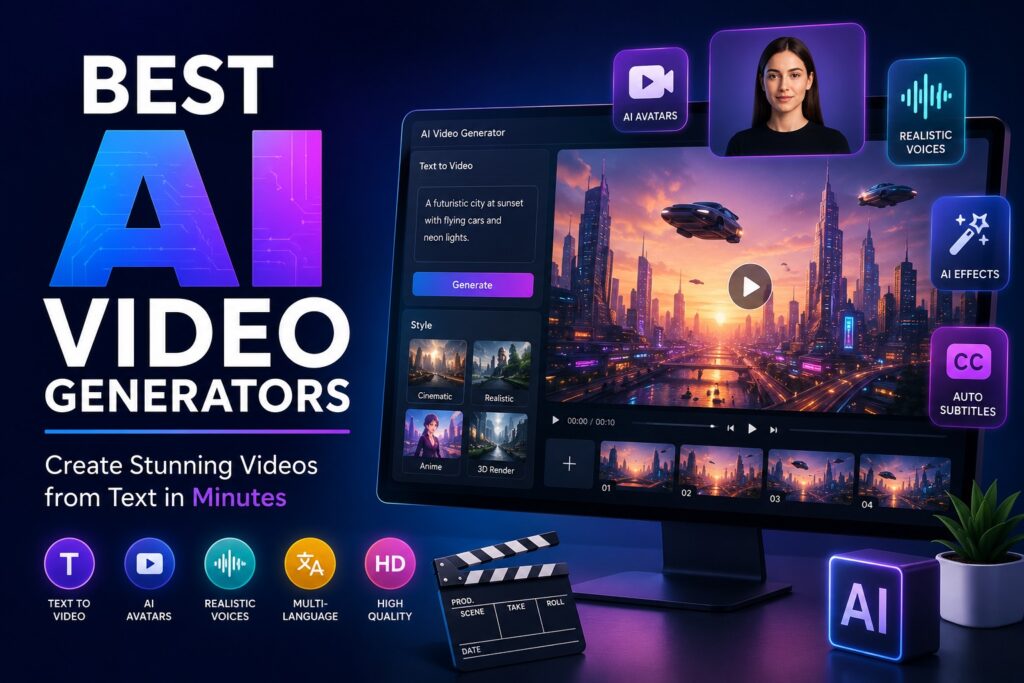
best ai video generators
Software

7 Best AI Video Generators for Creators and Businesses

7 Best AI Video Generators for Creators and Businesses Writer & Bloggerย  Rahul Goswami Share Published on July 22, 2026 Read Time Approx 8 min Quick Overview AI video generators have changed how creators, marketers, businesses, educators, and filmmakers produce video content. Instead of recording every scene manually or spending hours editing footage, users can now create videos from text prompts, images, scripts, avatars, and existing content. However, the best AI video generator depends heavily on what you want to create. A cinematic text-to-video tool is very different from an AI avatar platform designed for training videos or a social media tool built for short-form content. In this guide, we compare seven of the best AI video generators for different use cases. Runway is a strong choice for creative professionals who want advanced control over generative video. HeyGen and Synthesia are better suited to businesses that need AI presenters and multilingual videos. InVideo AI simplifies the process of turning ideas into complete videos, while Google Veo focuses on high-quality generative video creation. Pika is useful for quick creative clips and social media effects, while Descript combines AI video creation with transcript-based editing. We compare these tools based on their primary use cases, AI capabilities, ease of use, output quality, workflow features, and overall value. Whether you need marketing videos, training content, cinematic scenes, social media clips, or AI avatars, this list can help you choose the right platform. Best AI Video Generators Compared AI Video Generator Best For Starting Price* Main Strength Runway Creative professionals From $15/month Generative video control HeyGen AI avatars and marketing From $24/month Avatars and translation Synthesia Corporate training From $18/month annually Business presenters InVideo AI Beginners and marketers From around $17/month Prompt-to-video workflow Google Veo High-quality generative video Varies by access Realistic video generation Pika Social media creativity Varies by plan Creative effects Descript AI editing and repurposing Varies by plan Text-based video editing *Pricing and plan features may change. Check the provider’s official pricing page before purchasing. 1. Runway Offers Powerful AI Video Creation Control Runway is one of the strongest AI video platforms for creators who want more than a simple prompt-to-video experience. The platform is designed for generative video creation, image-to-video workflows, creative effects, and professional experimentation. Its appeal comes from the amount of creative control it gives users compared with simpler AI video makers. Runway is especially useful when you want to create cinematic shots, transform visual concepts, animate still images, or experiment with visual effects. Rather than producing an entire finished marketing video from one prompt, Runway is often better suited to generating individual scenes that can later be combined into a larger production. Creative Control for Professional Video Projects The platform is a strong fit for filmmakers, agencies, designers, and creative teams. Users can start with text prompts, reference images, or existing visual material and then experiment with movement, composition, and style. This makes Runway useful for concept development and visual prototyping. However, the tool requires more creative input than beginner-focused platforms. You may need to generate several versions of a scene before receiving the result you want. Therefore, Runway is best for users who are comfortable refining prompts and reviewing multiple generations. Best Uses and Potential Limitations Runway works particularly well for cinematic B-roll, concept videos, creative advertisements, visual effects, and experimental content. It can also support production workflows where creators want to generate a specific shot rather than an entire video automatically. The main limitation is that AI video generation uses credits or other usage limits depending on the selected plan. Heavy users may need a higher subscription tier. Nevertheless, for creators who value control and visual experimentation, Runway remains one of the best AI video generators available. 2. HeyGen Simplifies AI Avatar Video Production HeyGen is one of the best AI video generators for businesses that need professional videos featuring digital presenters. Instead of filming a real person for every video, users can select an AI avatar, write a script, choose a language, and generate a presentation-style video. The platform is especially popular for marketing, sales outreach, onboarding, training, and international content. Its multilingual capabilities also make it useful for companies that need to adapt videos for different markets. Create Business Videos Without a Camera One of HeyGen’s biggest advantages is its simple production workflow. A user can create a script, choose an avatar, select a voice, and generate a video without needing a camera, studio, or traditional editing software. This makes the platform useful for companies that regularly create product demonstrations, internal announcements, explainer videos, and educational content. Teams can also create consistent videos without requiring employees to record themselves repeatedly. Translation and Localization for Global Audiences HeyGen is particularly useful for businesses operating across multiple countries. AI translation and dubbing features can help companies adapt videos for different languages and audiences. According to current platform information, HeyGen supports a large range of avatars and languages, making it one of the more flexible AI avatar tools available. The platform may not be the best choice for cinematic storytelling or complex visual effects. However, for business presentations, marketing videos, and localized content, HeyGen is one of the strongest options. 3. Synthesia Is Ideal for Corporate Training Videos Synthesia focuses primarily on business video creation. Its platform allows organizations to create professional videos using AI presenters, voiceovers, templates, and multilingual capabilities. As a result, it is particularly popular among companies that need training, onboarding, compliance, and internal communication content. Instead of asking employees or trainers to record the same information repeatedly, businesses can create reusable AI-presenter videos and update them whenever information changes. Build Training and Onboarding Content Faster Training departments can use Synthesia to create onboarding videos, software tutorials, compliance lessons, and internal presentations. The platform helps companies standardize the visual quality of their content while reducing the time required for recording and editing. This is particularly valuable for organizations with distributed teams. A single training script can be adapted for employees in different regions

Scroll to Top