
topsoftwareoffers.com

Software

best ai marketing tools
Software

7 Best AI Marketing Tools for Modern Teams

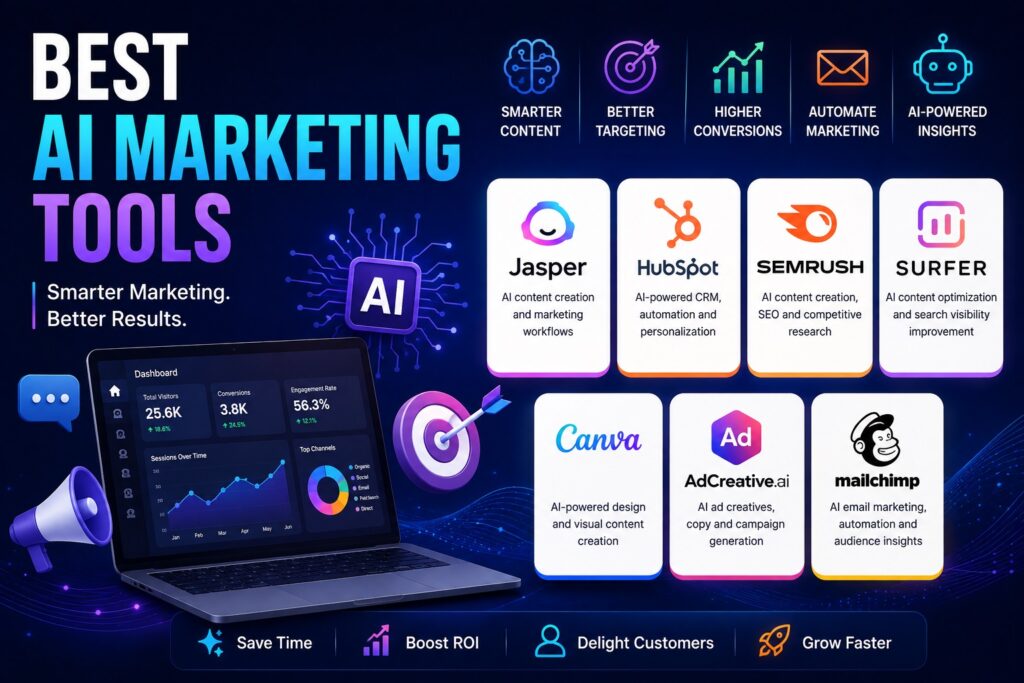
AI marketing tools are changing how businesses plan campaigns, create content, optimize search visibility, personalize customer experiences, and analyze marketing performance. Instead of handling every repetitive task manually, marketing teams can use AI to accelerate research, generate content, create advertising assets, automate customer journeys, and identify opportunities from large amounts of data. The right AI marketing software depends on the task you want to improve. Jasper is designed specifically for marketing teams that need AI-powered content, workflows, brand control, and campaign execution. HubSpot combines AI with CRM data, marketing automation, advertising, personalization, and analytics. Semrush is particularly useful for SEO and AI-assisted content creation, while Surfer focuses on SEO content optimization and AI search visibility. Canva is useful for creating marketing visuals and campaigns, while AdCreative.ai focuses on generating advertising creatives and copy. Mailchimp combines AI with email marketing, automation, segmentation, and campaign analytics. In this guide, we compare seven of the best AI marketing tools based on content creation, SEO, advertising, automation, personalization, analytics, ease of use, and overall marketing capabilities. Best AI Marketing Tools Compared Software Best For Main Strength Jasper Marketing teams AI marketing workflows and content HubSpot Marketing automation CRM-connected AI marketing Semrush SEO and content Search data and AI content Surfer SEO content Content optimization and AI search Canva Visual marketing AI-powered design and content creation AdCreative.ai Advertising AI ad creatives and copy Mailchimp Email marketing AI-powered email and automation 1. Jasper Is Built for End-to-End Marketing Workflows Jasper is an AI platform specifically designed for marketing teams. Rather than functioning only as a general-purpose writing assistant, it provides marketing-focused agents, content workflows, brand controls, and optimization capabilities. Jasper’s current platform includes purpose-built AI agents that can handle different marketing tasks, while its Content Pipelines are designed to organize repeatable workflows from planning through execution. Jasper IQ provides brand context, including brand voice, style guides, visual guidelines, and other information that can help keep generated content consistent. This makes Jasper particularly relevant for organizations producing large amounts of marketing content across multiple channels. Teams can use it for content creation, personalization, SEO, campaign development, research, and other marketing activities. Jasper also has a focus on AI search visibility. Its platform can help marketing teams monitor how their brands appear across AI answer engines and use those insights to improve content and visibility. Key Features of Jasper Why Choose Jasper? Jasper is a strong option for marketing teams that need more than basic AI writing. Its biggest advantage is the combination of AI generation, brand governance, workflows, and marketing-specific automation. It is especially useful for teams producing content at scale where consistency matters. However, businesses that only need occasional AI copywriting may find a broader or simpler AI tool more appropriate. 2. HubSpot Connects AI With Marketing Automation HubSpot combines AI-powered marketing features with CRM, customer data, automation, advertising, personalization, and analytics. This makes it particularly useful for businesses that want marketing activities connected to customer and lead information. HubSpot’s Marketing Hub includes tools for creating and managing campaigns, personalized customer experiences, ads, forms, social media, email, audience segments, and AI-powered customer interactions. Its platform also includes AI capabilities designed to automate repetitive marketing tasks. One advantage of this approach is that marketing teams can connect content and campaigns with customer information rather than operating separate tools for every part of the marketing funnel. HubSpot also provides AI-powered search visibility capabilities that help businesses understand how their brands appear in AI-generated answers. Key Features of HubSpot Why Choose HubSpot? HubSpot is particularly useful for businesses that want marketing automation and customer relationship management in one ecosystem. Its broad feature set can make it powerful for growing companies, but businesses should evaluate which features they actually need. Smaller teams with a very specific requirement may prefer a specialized AI marketing platform. 3. Semrush Helps Marketers Combine AI and SEO Data Semrush is best known as an SEO and digital marketing platform, but it also provides AI-powered tools for content creation and optimization. Its ContentShake AI combines generative AI with Semrush’s competitive and search data to help marketers develop and optimize content. ContentShake can assist with content ideas, outlines, writing, rewriting, SEO optimization, and publishing workflows. It can also analyze search intent and competing content to help users structure articles around relevant topics and keywords. This makes Semrush particularly useful for marketing teams where organic search is an important acquisition channel. Instead of using AI only to generate text, marketers can connect content creation with keyword research and competitive insights. Semrush also offers AI-related applications through its broader marketing ecosystem, including tools for advertising, content, SEO, and other marketing tasks. Key Features of Semrush Why Choose Semrush? Semrush is a strong choice for SEO-focused marketers who want AI capabilities alongside extensive search and competitive data. It is particularly useful for content teams because AI-generated drafts can be developed using SEO research rather than relying entirely on generic prompts. However, marketers should still review AI-generated content for accuracy, originality, brand voice, and usefulness. 4. Surfer Is Designed for SEO Content Optimization Surfer is an AI-powered SEO platform focused on helping marketers improve organic and AI search visibility. Its Content Editor provides recommendations based on search results, competitors, keywords, entities, content structure, and other optimization signals. Surfer AI can also generate long-form content using search data, NLP analysis, and optimization technology. Marketers can customize content with templates, brand voice, instructions, and other context before generating an article. Another important part of the platform is its growing focus on AI search. Surfer provides tools for tracking AI visibility, identifying content gaps, and improving content for both traditional search engines and AI-generated answers. This makes it useful for businesses that depend heavily on organic traffic and want to combine content generation with SEO optimization. Key Features of Surfer Why Choose Surfer? Surfer is a good choice for SEO teams and content marketers who want AI assistance without separating content generation from search optimization. Its specialized SEO approach is its main strength.
Best Website Analytics Tools
Software

7 Best Website Analytics Tools for Better Insights

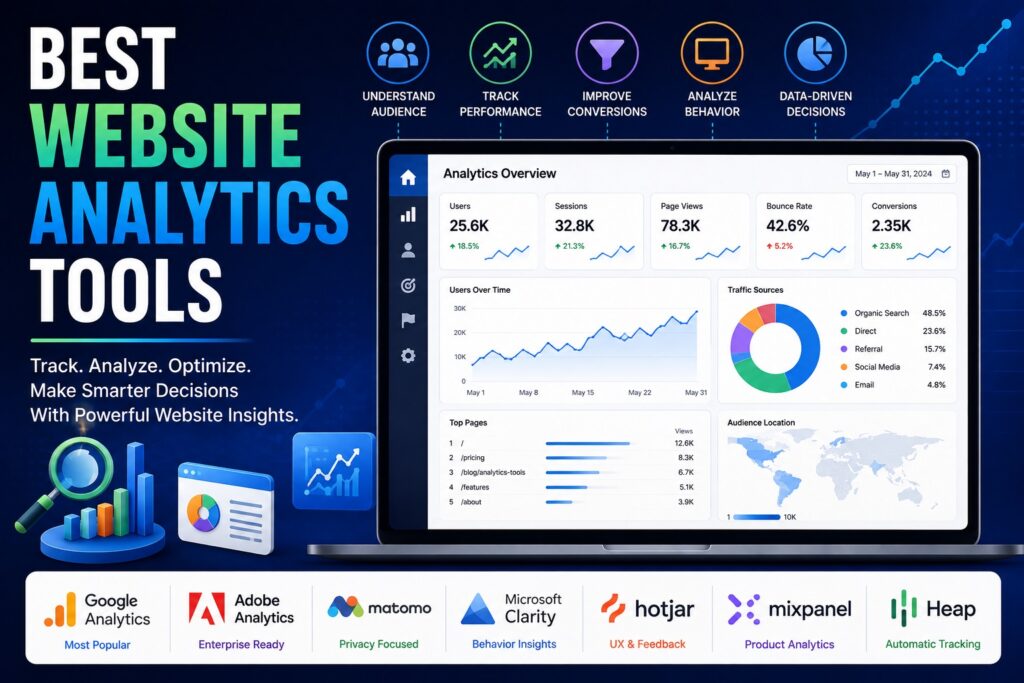
Website analytics tools help businesses understand how visitors interact with their websites. Instead of relying on assumptions, marketers and website owners can use analytics data to see where visitors come from, which pages they view, how long they stay, and what actions they take. Modern website analytics platforms can track much more than page views. Depending on the tool, businesses can analyze traffic sources, conversions, user journeys, engagement, audience behavior, events, and customer interactions. Some platforms also provide heatmaps, session recordings, product analytics, or privacy-focused tracking. The best website analytics tool depends on the type of website, business goals, technical requirements, and level of reporting needed. Google Analytics is a popular choice for businesses that need broad website and marketing analytics, while Adobe Analytics is designed for organizations with more advanced enterprise requirements. Matomo is attractive to businesses that prioritize data ownership and privacy. Microsoft Clarity focuses on understanding user behavior through heatmaps and session recordings, while Hotjar combines behavioral analytics with feedback tools. Mixpanel is useful for product and event analytics, and Heap focuses on automatically capturing digital interactions. In this guide, we compare seven website analytics tools based on traffic tracking, user behavior, reporting, event analytics, conversion tracking, privacy, integrations, and overall usability. Best Website Analytics Tools Compared Software Best For Main Strength Google Analytics Most websites Comprehensive web analytics Adobe Analytics Large enterprises Advanced analytics Matomo Privacy-focused businesses Data ownership and privacy Microsoft Clarity User behavior Heatmaps and session recordings Hotjar UX research Behavioral insights and feedback Mixpanel Product analytics Event-based analysis Heap Digital product teams Automatic interaction capture 1. Google Analytics Is a Strong All-Around Analytics Tool Google Analytics is one of the most widely used website analytics platforms. It helps businesses understand website traffic, user engagement, conversions, acquisition channels, and other important performance metrics. The platform can provide insights into where visitors come from and what they do after arriving on a website. Businesses can use this information to evaluate marketing campaigns, understand high-performing pages, measure conversions, and identify areas where visitors may be dropping out of important journeys. Google Analytics is particularly useful because it can be connected with other marketing and advertising tools. This allows businesses to bring website performance data into a broader digital marketing workflow. For businesses that are new to website analytics, the amount of available data can initially feel overwhelming. Setting up meaningful events and conversions is important because simply collecting large amounts of data does not automatically produce useful insights. Key Features of Google Analytics Google Analytics can help businesses track: Why Choose Google Analytics? Google Analytics is a strong choice for businesses that need a comprehensive analytics foundation. It can work for blogs, ecommerce websites, SaaS businesses, publishers, and many other website types. Its broad ecosystem is also useful for marketers who already work with Google’s advertising and marketing products. However, businesses should invest time in configuring events, conversions, audiences, and reporting. A properly configured analytics setup is much more valuable than simply installing the tracking code. 2. Adobe Analytics Is Built for Enterprise Data Adobe Analytics is designed for organizations that need advanced digital analytics and extensive customization. It is particularly relevant to large enterprises with complex websites, multiple customer touchpoints, and sophisticated reporting requirements. The platform can help organizations analyze customer journeys and understand how users interact with digital experiences across different channels. Marketing and analytics teams can use detailed data to evaluate campaigns, customer behavior, and conversion paths. Adobe Analytics is generally more appropriate for organizations with dedicated analytics teams and complex requirements than for small websites looking for basic traffic reporting. Its advanced capabilities can provide significant flexibility, but implementation and management may require specialized expertise. Key Features of Adobe Analytics Why Choose Adobe Analytics? Adobe Analytics is best suited to enterprises that need sophisticated analytics and have the resources to manage a more complex implementation. Businesses considering the platform should evaluate their analytics maturity before choosing it. Smaller organizations may find a simpler platform easier to configure and maintain. For large organizations with multiple digital properties and complex customer journeys, however, Adobe Analytics can provide a powerful analytics environment. 3. Matomo Focuses on Privacy and Data Ownership Matomo is a website analytics platform that places significant emphasis on privacy and data ownership. It provides many of the analytics capabilities businesses expect from a modern web analytics platform while giving organizations more control over how their analytics data is handled. Matomo can be used to monitor website visitors, traffic sources, page performance, conversions, and other website metrics. Its privacy-oriented approach makes it attractive to organizations that want greater control over analytics data. The platform can also be deployed in ways that give businesses additional control over their analytics infrastructure. This can make Matomo particularly appealing to privacy-conscious organizations, businesses operating under strict data requirements, and teams that want an alternative to advertising-focused analytics ecosystems. Key Features of Matomo Matomo provides features such as: Why Choose Matomo? Matomo is a strong option for businesses that consider privacy and control important factors when selecting analytics software. It can provide detailed website insights without requiring a business to rely entirely on a large advertising ecosystem. Organizations should still review their specific privacy, consent, hosting, and compliance requirements before implementation. The correct configuration depends on the business’s location, audience, and applicable regulations. 4. Microsoft Clarity Helps Understand User Behavior Microsoft Clarity takes a different approach from traditional website analytics platforms. Rather than focusing only on traffic numbers and conversion reports, it emphasizes understanding how visitors actually interact with website pages. Its heatmaps can show where users click, scroll, and interact. Session recordings can provide a visual representation of visitor behavior, helping teams identify usability issues that may not be obvious from traditional analytics reports. For example, a website might have strong traffic but poor conversions. Traditional analytics can show the conversion problem, while behavioral analytics may help explain what visitors are doing before they leave. This makes Clarity particularly useful for UX teams, marketers, ecommerce businesses,

best rank tracking software
Software

7 Best Rank Tracking Software for SEO Success

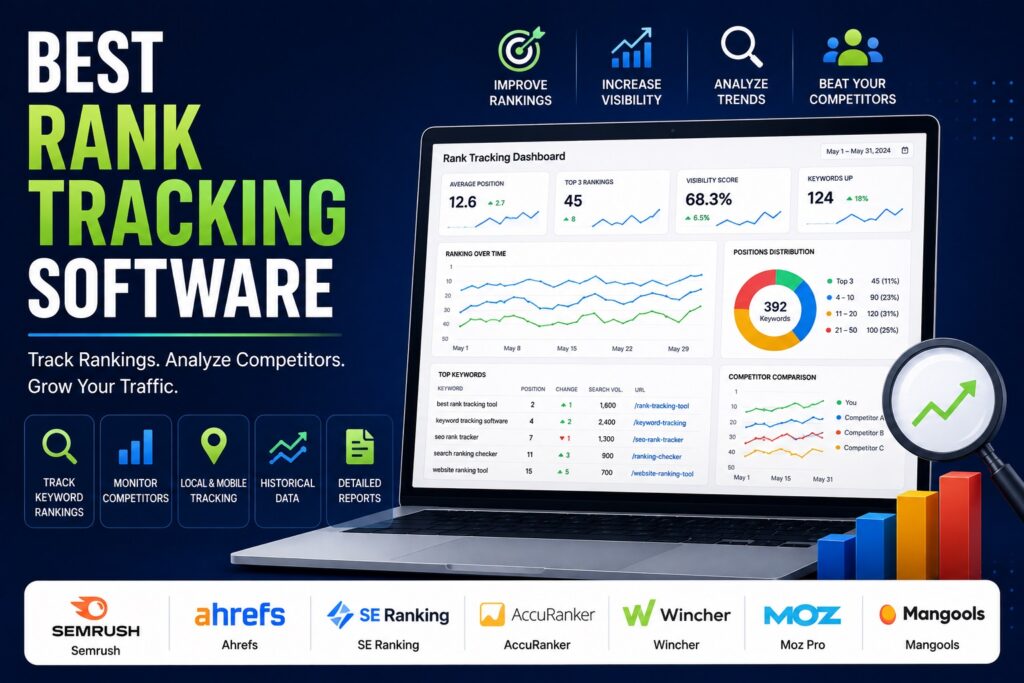
7 Best Rank Tracking Software for SEO Success Writer & Bloggerย  Rahul Goswami Share Published on August 17, 2026 Read Time Approx 8 min Rank tracking software helps SEO professionals and businesses monitor how their web pages perform in search engine results for specific keywords. Instead of manually checking Google rankings, these tools automatically track keyword positions, identify ranking changes, monitor competitors, and provide historical data that can help improve SEO strategies. Modern rank tracking platforms offer more than simple position monitoring. Depending on the tool, users can track rankings by location and device, monitor competitors, analyze SERP features, identify ranking opportunities, and create reports for clients or internal teams. The best rank tracking software depends on the size of your website, number of keywords, reporting requirements, local SEO needs, and broader SEO workflow. Semrush is a strong all-in-one choice for businesses that need rank tracking alongside keyword research and competitor analysis. Ahrefs is useful for teams focused on organic search performance, while SE Ranking offers a balanced combination of rank tracking and SEO management features. AccuRanker focuses heavily on fast and accurate rank tracking, and Wincher provides a simpler approach for businesses that primarily need keyword monitoring. Moz Pro combines rank tracking with broader SEO tools, while Mangools is an approachable option for smaller teams and beginners. In this guide, we compare seven of the best rank tracking software platforms based on keyword tracking, SERP monitoring, competitor analysis, local rankings, reporting, ease of use, and overall value. Best Rank Tracking Software Compared Software Best For Main Strength Semrush All-in-one SEO Comprehensive SEO and rank tracking Ahrefs SEO professionals Organic search analysis SE Ranking Growing businesses Flexible SEO platform AccuRanker Accurate rank tracking Fast keyword monitoring Wincher Simple rank tracking Easy-to-use tracking Moz Pro SEO teams Rank tracking and SEO insights Mangools Beginners and small teams Simple SEO workflow 1. Semrush Is a Strong All-in-One Rank Tracker Semrush is a comprehensive SEO platform that includes keyword rank tracking alongside keyword research, competitor analysis, site auditing, backlink analysis, and other SEO capabilities. Its Position Tracking tool allows users to monitor keyword rankings and understand how search visibility changes over time. Businesses can track their own performance and compare rankings with competitors, making it easier to identify areas where competitors are gaining visibility. One of Semrush’s biggest advantages is that rank tracking is part of a much broader SEO ecosystem. Instead of using one tool to monitor rankings and another to research keywords, users can connect ranking data with other SEO activities. This makes Semrush particularly useful for agencies and in-house SEO teams managing multiple campaigns. Key Features of Semrush Semrush provides: Pros and Cons of Semrush Pros Cons Semrush is best for businesses and SEO professionals who want rank tracking as part of a complete SEO workflow. 2. Ahrefs Provides Detailed Organic Search Insights Ahrefs is another widely used SEO platform that combines rank tracking with keyword research, backlink analysis, competitor research, and site auditing. Its rank tracking capabilities allow users to monitor keyword positions over time and evaluate changes in organic search performance. SEO professionals can use this information to identify successful pages, declining rankings, and opportunities for improvement. Ahrefs is particularly valuable when rank tracking needs to be combined with broader organic search analysis. For example, a marketer can identify a keyword where a page has lost visibility and then investigate competitors, backlinks, and related search opportunities. The platform is therefore more than a simple position tracker. It provides a broader environment for analyzing how websites compete in organic search. Key Features of Ahrefs Pros and Cons of Ahrefs Pros Cons Ahrefs is a strong choice for SEO professionals who want ranking data alongside deeper organic search research. 3. SE Ranking Balances Rank Tracking and SEO Tools SE Ranking is an SEO platform that places significant emphasis on keyword rank tracking while also providing tools for competitor analysis, website auditing, keyword research, and backlink management. The platform allows businesses to monitor keyword positions and evaluate ranking changes over time. Users can also track rankings based on search locations and other parameters, making it useful for businesses targeting specific geographic markets. One of SE Ranking’s advantages is its balance between functionality and usability. It provides enough features for professional SEO work without necessarily requiring users to navigate an extremely complex enterprise platform. Agencies can also use its reporting and project management capabilities to manage multiple websites and SEO campaigns. Key Features of SE Ranking Pros and Cons of SE Ranking Pros Cons SE Ranking is a good option for businesses that want dedicated rank tracking combined with other essential SEO tools. 4. AccuRanker Focuses on Fast Rank Tracking AccuRanker is designed primarily around keyword rank tracking. Unlike broader SEO platforms, it focuses heavily on helping users monitor search engine positions quickly and accurately. This specialized approach can be useful for agencies and SEO professionals that already have separate tools for keyword research, backlinks, and technical SEO but need a dedicated ranking platform. AccuRanker supports tracking across different search engines, locations, devices, and SERP features. This allows businesses to understand how rankings change across different search environments. Its reporting capabilities are also useful for agencies that need to communicate ranking performance to clients. Key Features of AccuRanker Pros and Cons of AccuRanker Pros Cons AccuRanker is best for users who want a dedicated rank tracking platform rather than a complete SEO suite. 5. Wincher Makes Keyword Tracking Simple Wincher focuses on making keyword rank tracking straightforward for businesses and SEO teams. Its interface is designed around monitoring search positions without overwhelming users with unnecessary complexity. Users can track keywords, monitor competitors, review ranking changes, and generate reports. This makes Wincher useful for businesses that primarily need to know whether their SEO efforts are improving search visibility. The platform can be especially useful for small businesses and marketers that do not require the extensive collection of tools offered by larger SEO suites. Key Features of Wincher Pros and Cons of Wincher

1password vs bitwarden
Software

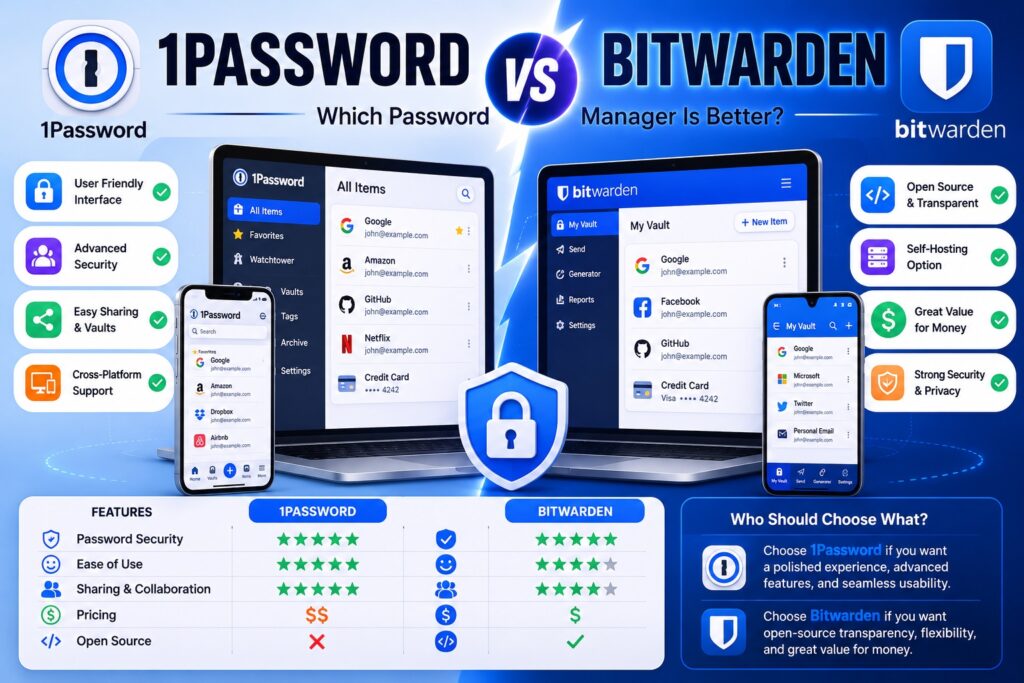
1Password vs Bitwarden: Which Password Manager Is Better?

1Password vs Bitwarden: Which Password Manager Is Better? Writer & Bloggerย  Rahul Goswami Share Published on August 17, 2026 Read Time Approx 8 min 1Password and Bitwarden are two popular password managers designed to help users securely store passwords, payment information, secure notes, and other sensitive data. Both tools use encryption to protect stored information and provide features that make it easier to create, manage, and use strong passwords across websites and applications. Although they solve the same basic problem, 1Password and Bitwarden take different approaches. 1Password focuses on a polished user experience, advanced security features, convenient organization, and a feature-rich ecosystem for individuals, families, and businesses. Bitwarden is known for its open-source approach, flexible features, broad platform support, and strong value for users who want extensive password management capabilities. The better option depends on what you prioritize. 1Password can be attractive to users who want an intuitive interface and a highly polished experience, while Bitwarden may appeal to privacy-conscious and technically experienced users who value transparency and customization. In this guide, we compare 1Password vs Bitwarden based on security, password management, ease of use, sharing, cross-platform support, features, and overall usability. 1Password vs Bitwarden Compared Feature 1Password Bitwarden Best For Polished password management Flexible and open-source password management Security Strong encryption and security features Strong encryption and open-source approach Ease of Use Excellent Very Good Password Generator Yes Yes Autofill Yes Yes Secure Notes Yes Yes Password Sharing Strong Strong Cross-Platform Support Excellent Excellent Open Source No Yes Self-Hosting No Yes Browser Extensions Yes Yes Best For Businesses Teams and organizations wanting a polished experience Organizations wanting flexibility and control What Makes 1Password a Strong Password Manager? 1Password is designed to make password management secure while keeping the everyday experience simple. Instead of remembering dozens of passwords, users can store credentials in an encrypted vault and use the application or browser extension to automatically fill login information. The platform supports more than passwords. Users can store secure notes, payment information, identity details, software licenses, and other sensitive information in organized vaults. This makes 1Password useful as a broader digital information manager rather than simply a password storage application. One of 1Password’s major strengths is its user experience. The interface is designed for people who may not have extensive technical knowledge, making it relatively easy to organize information, search vaults, generate passwords, and access credentials across devices. 1Password also provides features for families and organizations. Shared vaults can help teams or family members securely access information without sending passwords through email or messaging applications. Key Features of 1Password 1Password provides features such as: Why Choose 1Password? 1Password is a strong choice for users who want a polished password management experience without having to configure many technical settings. Its organization features can also make it easier to manage large collections of credentials. Users can separate personal and professional information and create shared vaults when multiple people need access to selected credentials. The main consideration is that users who specifically want an open-source password manager or self-hosting capabilities may find Bitwarden more appealing. What Makes Bitwarden a Strong Password Manager? Bitwarden is a password management platform known for combining strong security features with an open-source approach. It allows users to store passwords and sensitive information in an encrypted vault and access them across supported devices and browsers. One of Bitwarden’s biggest differences from 1Password is its open-source nature. Its source code is publicly available, which allows the broader security and developer community to inspect and evaluate the software. Bitwarden also offers flexibility for technically experienced users. In addition to its hosted service, Bitwarden provides self-hosting capabilities, giving organizations and individuals greater control over where their password management infrastructure operates. The platform supports password generation, autofill, secure notes, identity information, payment information, sharing, and other password management functions. Key Features of Bitwarden Important Bitwarden features include: Why Choose Bitwarden? Bitwarden is particularly appealing to users who value transparency, flexibility, and control. Its open-source model differentiates it from many proprietary password managers. Self-hosting can also be useful for technically capable users and organizations that want greater control over their infrastructure. However, users who prioritize a highly polished interface and a simpler experience may prefer 1Password. 1Password vs Bitwarden: Which Is More Secure? Security is the most important consideration when choosing a password manager because the application protects credentials for many other accounts. Both 1Password and Bitwarden are designed around strong encryption and secure vault architecture. They are intended to ensure that sensitive information remains protected while stored and synchronized between devices. 1Password uses a security architecture designed to protect vault data, while Bitwarden combines encryption with its open-source development model. Bitwarden’s source availability gives security-conscious users and researchers an opportunity to examine how the software works. However, security does not depend only on the password manager. Users also need to protect their master credentials, enable available multi-factor authentication options, keep applications updated, and avoid sharing sensitive information through insecure channels. For most users, both platforms provide a strong foundation for password security. Winner: Tie. Both offer strong security approaches, with Bitwarden having an additional advantage for users who value open-source transparency. 1Password vs Bitwarden: Which Is Easier to Use? Ease of use is one area where 1Password has a strong advantage. 1Password is designed around a polished interface that makes it relatively easy to create vaults, organize credentials, generate passwords, and use browser autofill. The experience is designed to minimize the amount of technical knowledge required from users. Bitwarden is also straightforward for everyday password management, but some of its additional options and settings can make the platform feel more technical. This is not necessarily a disadvantage. Experienced users may appreciate having more control over how the system is configured. For someone who simply wants to install a password manager and start saving passwords, 1Password may provide a smoother experience. Bitwarden is still accessible to beginners but can be particularly attractive to users who want additional flexibility. Winner: 1Password. 1Password vs Bitwarden: Which

Best Recurring Billing Software
Software

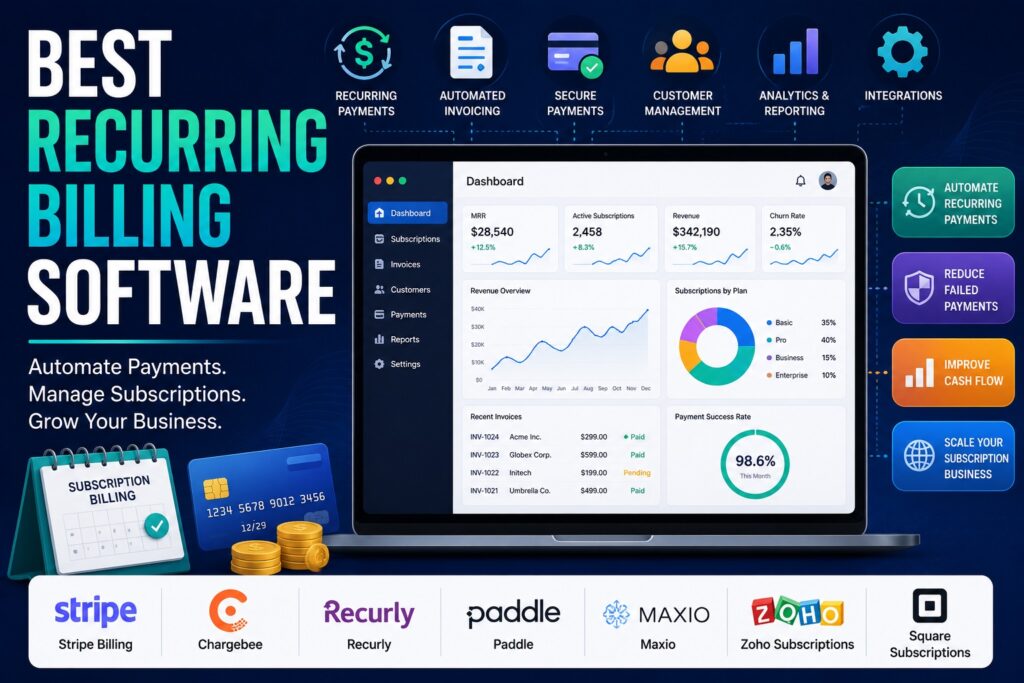
7 Best Recurring Billing Software for Subscription Businesses

7 Best Recurring Billing Software for Subscription Businesses Writer & Bloggerย  Rahul Goswami Share Published on August 12, 2026 Read Time Approx 8 min Recurring billing software helps businesses automate subscription payments, recurring invoices, renewals, payment collection, and customer billing. Instead of manually creating invoices or following up on every upcoming payment, businesses can use recurring billing platforms to automate the entire payment cycle. This type of software is particularly useful for SaaS companies, subscription businesses, membership platforms, agencies, professional services, and other businesses that charge customers on a recurring basis. Depending on the platform, businesses can support monthly, quarterly, annual, usage-based, or customized billing models. The best recurring billing software depends on your business model, payment requirements, pricing structure, integrations, and expected growth. Stripe Billing is a strong option for businesses already using Stripe, while Chargebee is designed for subscription businesses with more complex billing requirements. Recurly focuses heavily on subscription management, Paddle is useful for SaaS companies, and Maxio provides strong subscription management and revenue operations capabilities. Zoho Subscriptions is a practical option for smaller businesses, while Square Subscriptions can work well for businesses already using Square’s payment ecosystem. In this guide, we compare seven recurring billing platforms based on subscription management, automation, payment processing, invoicing, integrations, scalability, and overall usability. Best Recurring Billing Software Compared Software Best For Main Strength Stripe Billing Flexible subscription businesses Payment and billing infrastructure Chargebee Complex subscriptions Advanced subscription management Recurly Subscription businesses Recurring revenue management Paddle SaaS companies Billing and payment infrastructure Maxio B2B SaaS Subscription and revenue management Zoho Subscriptions Small businesses Simple subscription billing Square Subscriptions Small businesses Easy recurring payments 1. Stripe Billing Is Best for Flexible Recurring Payments Stripe Billing is a recurring billing solution built into the broader Stripe payments ecosystem. It allows businesses to create subscription plans, collect recurring payments, manage invoices, and support different pricing models. One of Stripe Billing’s biggest advantages is flexibility. Businesses can create simple recurring subscriptions as well as more customized pricing structures. This makes it suitable for SaaS companies, online services, marketplaces, and other businesses where billing requirements can change as the company grows. Stripe also provides a broad developer ecosystem, making it particularly attractive to businesses with technical teams. Developers can integrate billing functionality directly into websites and applications and connect it with other Stripe services. For businesses already using Stripe for payment processing, adding recurring billing can create a more unified payment infrastructure. Key Features for Subscription Businesses Stripe Billing can support: Why Choose Stripe Billing? Stripe Billing is a strong choice for businesses that want flexibility and developer control. It can support both straightforward subscriptions and more customized billing workflows. The platform may require more technical involvement than simpler subscription billing products. Businesses without developers may therefore prefer a platform with more built-in configuration and less implementation work. 2. Chargebee Handles Complex Subscription Models Chargebee is designed specifically around subscription management and recurring revenue. It provides businesses with tools for managing subscriptions, plans, invoices, payments, and customer lifecycle events. The platform can be useful for businesses that have moved beyond simple monthly or annual subscriptions. Companies can manage different plans, pricing structures, upgrades, downgrades, renewals, and other subscription changes from a centralized system. Chargebee is particularly relevant to SaaS and subscription companies because recurring revenue often becomes more complicated as the customer base grows. A business may need multiple pricing tiers, trials, discounts, add-ons, or billing schedules. Subscription Features Chargebee provides capabilities such as: Is Chargebee Right for Growing Businesses? Chargebee is a strong option for businesses that expect their subscription model to become increasingly sophisticated. Its focus on recurring revenue makes it more specialized than basic invoicing software. However, smaller businesses with only a few simple subscription plans may not need its full range of capabilities. In those cases, a simpler billing platform can be easier to configure and manage. 3. Recurly Focuses on Subscription Management Recurly is a subscription billing platform built to help businesses manage recurring revenue and customer subscriptions. It provides tools for recurring payments, subscription plans, invoices, customer management, and payment recovery. Subscription businesses often face problems when customers’ payments fail. Recurly focuses on helping businesses manage these situations through automated payment recovery and subscription lifecycle tools. The platform can support different subscription structures, making it useful for businesses that need more flexibility than a simple recurring invoice system provides. Key Features for Recurring Revenue Recurly includes features such as: Why Consider Recurly? Recurly is a good fit for businesses where subscription management is central to their revenue model. Its focus on recurring revenue can help companies organize billing operations as their subscriber base grows. The platform is more specialized than basic payment tools, so businesses with very simple billing needs may find simpler alternatives easier to operate. 4. Paddle Is Useful for SaaS Subscription Businesses Paddle provides billing and payment infrastructure with a particular focus on software and SaaS businesses. It can help companies manage subscriptions, payments, invoices, and customer billing from a centralized platform. For SaaS companies selling software internationally, billing can involve more than simply collecting a monthly payment. Businesses may need to manage different currencies, taxes, payment methods, subscriptions, and customer lifecycle events. Paddle is designed to simplify many of these billing responsibilities. This can allow software companies to focus more on their product while using a specialized platform for payment and subscription operations. Key Features Paddle offers capabilities around: Who Should Choose Paddle? Paddle is particularly attractive to SaaS businesses that want billing and payment infrastructure designed around software subscriptions. Companies with unusual billing requirements should still evaluate the platform’s supported pricing and payment models before making a decision. 5. Maxio Is Built for B2B SaaS Billing Maxio focuses on subscription management and financial operations for B2B SaaS companies. Its platform is designed for businesses dealing with recurring revenue, subscription contracts, billing, and revenue management. B2B SaaS billing can become complicated when companies introduce annual contracts, multiple products, usage-based pricing, discounts, upgrades, and other commercial

Best Data Visualization Tools
Software

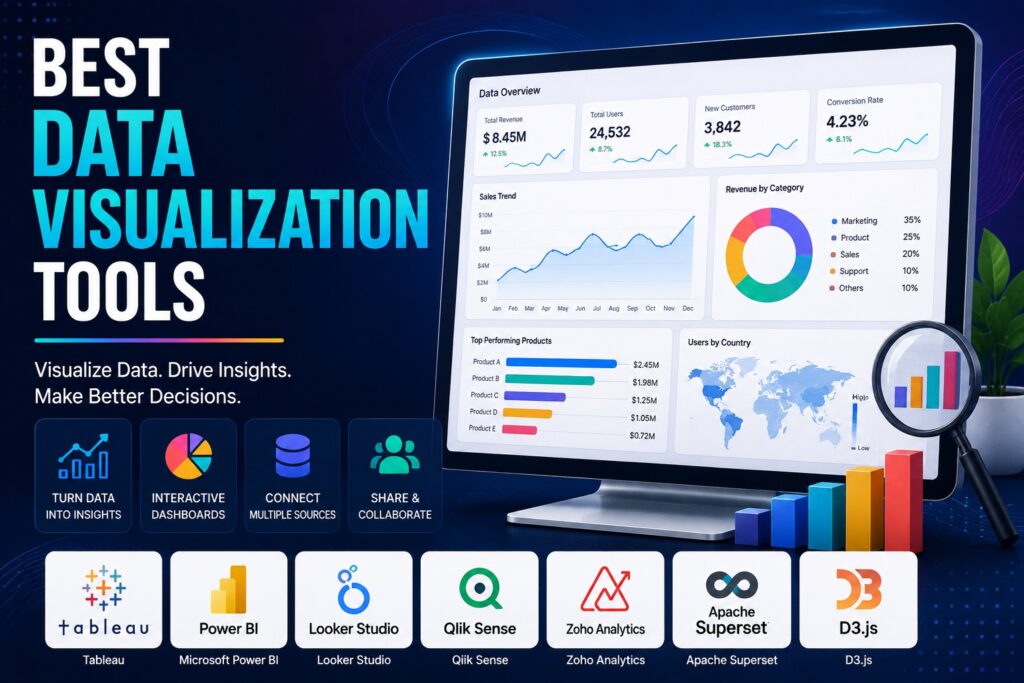
7 Best Data Visualization Tools for Clearer Insights

7 Best Data Visualization Tools for Clearer Insights Writer & Bloggerย  Rahul Goswami Share Published on August 12, 2026 Read Time Approx 8 min Data visualization tools help businesses turn complex datasets into charts, graphs, dashboards, and interactive reports that are easier to understand. Instead of reviewing large spreadsheets or rows of numbers, teams can use visualizations to identify trends, compare performance, spot unusual changes, and communicate important findings more effectively. Modern data visualization software supports a wide range of use cases, from business intelligence and financial reporting to marketing analytics, sales performance, operations, and executive dashboards. Many platforms also connect directly with databases, spreadsheets, cloud applications, and business systems, allowing teams to work with regularly updated information. The best data visualization tool depends on the user’s technical expertise, data sources, reporting requirements, and budget. Tableau is a strong choice for advanced business analytics, Microsoft Power BI works particularly well for organizations using Microsoft’s ecosystem, Looker Studio is useful for accessible web-based reporting, Qlik Sense provides powerful associative analytics, and Zoho Analytics offers an approachable business intelligence experience. Apache Superset is an attractive option for teams seeking an open-source platform, while D3.js gives developers extensive control over custom visualizations. In this guide, we’ll compare the best data visualization tools based on visualization capabilities, dashboards, data connections, customization, ease of use, analytics, and overall value. Best Data Visualization Tools Compared Tool Best For Main Strength Tableau Advanced analytics Powerful visual analytics Microsoft Power BI Business intelligence Microsoft ecosystem integration Looker Studio Web-based reporting Easy dashboard creation Qlik Sense Data exploration Associative analytics Zoho Analytics Small and growing businesses Accessible BI features Apache Superset Open-source analytics Flexible self-hosted visualization D3.js Developers Highly customized visualizations 1. Tableau Is a Strong Choice for Advanced Data Visualization Tableau is one of the most established platforms for business data visualization and analytics. It allows users to connect data from different sources and turn it into interactive charts, dashboards, and reports. The platform is designed for users who need more than basic charts. Analysts can explore datasets, combine different visualizations, apply filters, and create dashboards that allow business users to interact with information. Tableau can be used across departments, including finance, sales, marketing, operations, and management. Executives can use dashboards for high-level reporting, while analysts can explore data at a more detailed level. Its extensive visualization capabilities make Tableau particularly useful when an organization needs to communicate complicated datasets in a visually understandable format. Key Features Pros and Cons Pros Cons Tableau is best suited to organizations that want sophisticated data visualization and have users who are willing to invest time in learning the platform. 2. Microsoft Power BI Simplifies Business Intelligence Microsoft Power BI combines data visualization, reporting, and business intelligence in a platform that is particularly attractive to organizations already using Microsoft products. Users can connect data from spreadsheets, databases, cloud services, and other sources before creating interactive reports and dashboards. Visualizations can help teams understand sales, financial performance, customer activity, operational metrics, and other business information. One of Power BI’s biggest advantages is its integration with the wider Microsoft ecosystem. Organizations already using Excel, Microsoft 365, Azure, or other Microsoft technologies may find it easier to incorporate Power BI into existing workflows. The platform supports both simple reporting and more advanced analytical use cases, making it suitable for different levels of users. Key Features Pros and Cons Pros Cons Power BI is a strong choice for businesses that want visualization and business intelligence capabilities within a familiar Microsoft environment. 3. Looker Studio Makes Web-Based Reporting Accessible Looker Studio is designed to make interactive reporting and dashboard creation accessible to a broad range of users. Its web-based approach makes it useful for teams that need to create and share reports without deploying complex visualization infrastructure. The platform can be particularly useful for marketing and digital analytics teams that need to bring information from different sources into a single dashboard. Users can create charts, tables, scorecards, and other visual elements and arrange them into interactive reports. Its relatively approachable interface makes it suitable for users who may not have extensive data science or business intelligence experience. Key Features Pros and Cons Pros Cons Looker Studio is a good option for teams that need straightforward, shareable dashboards without the complexity of a large enterprise analytics platform. 4. Qlik Sense Helps Teams Explore Data Interactively Qlik Sense focuses on interactive data exploration and business intelligence. Its approach allows users to investigate relationships within datasets instead of simply viewing predefined reports. This can be valuable when analysts need to explore information from different perspectives. Users can interact with visualizations, filter data, and investigate patterns that may not be obvious in static reports. Qlik Sense can support business users as well as analysts, making it useful for organizations that want to encourage data-driven decision-making across departments. The platform can be used for sales analysis, financial reporting, supply chain monitoring, operational analytics, and other business intelligence applications. Key Features Pros and Cons Pros Cons Qlik Sense is particularly useful for organizations that want users to explore data interactively instead of relying only on predefined reports. 5. Zoho Analytics Is Good for Growing Businesses Zoho Analytics provides business intelligence and data visualization features in a relatively approachable environment. It can help organizations bring data from different business systems into dashboards and reports. The platform is useful for teams that need to monitor sales, marketing, finance, operations, and other business metrics without adopting an overly complex analytics environment. Users can create visual reports and dashboards and use them to communicate performance across teams. This makes Zoho Analytics particularly appealing to small and growing businesses that need more advanced reporting as their data requirements increase. Key Features Pros and Cons Pros Cons Zoho Analytics is a practical choice for businesses looking for visualization and business intelligence without immediately moving to a highly specialized enterprise analytics platform. 6. Apache Superset Provides Open-Source Visualization Apache Superset is an open-source data visualization and business intelligence platform.

monday vs asana
Software

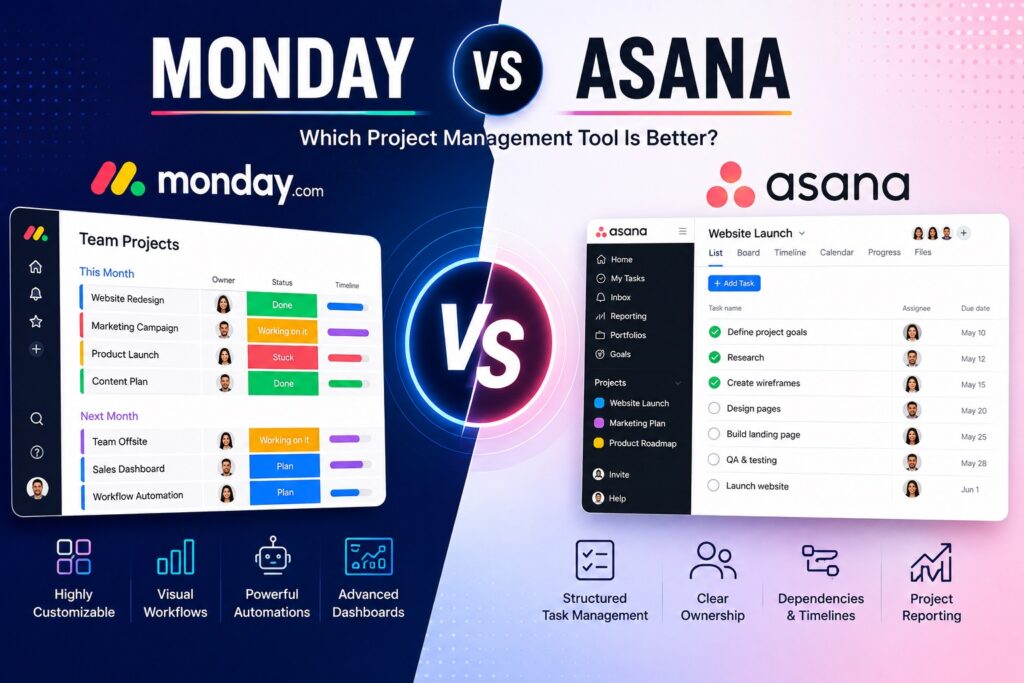
Monday vs Asana: Which Project Management Tool Is Better?

Monday vs Asana: Which Project Management Tool Is Better? Writer & Bloggerย  Rahul Goswami Share Published on August 11, 2026 Read Time Approx 8 min Monday.com and Asana are two popular project management and team collaboration platforms designed to help businesses organize tasks, manage projects, automate workflows, and keep teams aligned. Both tools can replace spreadsheets and scattered communication by giving teams a centralized place to plan work, assign responsibilities, monitor progress, and manage deadlines. However, Monday.com and Asana take slightly different approaches to project management. Monday.com focuses heavily on customizable visual workspaces, boards, dashboards, automations, and flexible workflows. Asana takes a more structured approach to task and project management, making it particularly useful for teams that need clear responsibilities, deadlines, dependencies, and project visibility. Monday.com can be a strong choice for teams that want to customize their workflows across different departments, while Asana is well suited to teams that prefer straightforward project and task management. In this guide, we’ll compare Monday.com vs Asana based on project management, task organization, workflow automation, collaboration, customization, integrations, ease of use, and overall value. Monday.com vs Asana Compared Feature Monday.com Asana Best For Flexible work management Structured project management Task Management Highly customizable Structured and intuitive Project Views Boards, timelines, calendars, dashboards Lists, boards, timelines, calendars Automation Extensive workflow automation Workflow automation Collaboration Strong Strong Customization Excellent Very good Reporting Advanced dashboards Project and portfolio reporting Integrations Large integration ecosystem Large integration ecosystem Ease of Use Easy after setup Generally easy to learn Best For Teams Cross-functional teams Project-focused teams What Makes Monday.com a Strong Project Management Platform? Monday.com is a flexible work management platform designed to help teams organize projects, tasks, processes, and business operations through customizable visual boards. Instead of forcing every team to follow the same workflow, Monday.com allows organizations to create boards and columns around the way they actually work. A marketing team, for example, can use a board to manage campaigns, content, approvals, and publishing dates. A sales team can create a workflow for leads and opportunities, while an operations team can track requests and recurring processes. This flexibility makes Monday.com useful beyond traditional project management. The platform also provides multiple ways to visualize work. Teams can use boards, timelines, calendars, dashboards, and other views to understand project status and responsibilities. Automations can reduce repetitive work, such as assigning tasks, sending notifications, changing statuses, or moving work between stages. Monday.com can therefore be particularly useful for organizations managing different types of work across multiple departments. Its customization allows businesses to create workflows that fit their processes rather than adapting their processes to a rigid software structure. Key Features of Monday.com Monday.com provides a broad range of project and work management capabilities, including: Pros and Cons of Monday.com Pros Cons Monday.com is best for teams that want flexibility and control over how their work is organized. Its biggest strength is its ability to support different workflows within the same organization. What Makes Asana a Strong Project Management Platform? Asana takes a more structured approach to project and task management. The platform helps teams break larger projects into tasks, assign responsibilities, set deadlines, establish dependencies, and monitor progress. This approach makes Asana particularly useful for teams working on projects with multiple steps and clearly defined deliverables. Marketing campaigns, product launches, content calendars, software development projects, and event planning are examples of workflows that can benefit from Asana’s structured organization. Teams can view projects using lists, boards, calendars, and timeline-style views. This allows employees to choose a format that makes the work easiest to understand while maintaining a centralized project structure. Asana also supports workflow automation, integrations, project reporting, and collaboration features. Managers can use these capabilities to understand project progress and identify work that needs attention. Compared with Monday.com, Asana can feel more focused on traditional project and task management. This can be an advantage for teams that do not need extensive customization and simply want a clear system for managing projects. Key Features of Asana Important Asana capabilities include: Pros and Cons of Asana Pros Cons Asana is particularly well suited to teams that want a structured project management environment. Its straightforward approach can make it easier for teams to establish consistent project workflows. Monday.com vs Asana: Which Has Better Task Management? Both Monday.com and Asana provide strong task management, but their approaches are different. Monday.com gives users more freedom to customize how tasks are represented and organized. Teams can create custom columns, statuses, workflows, and dashboards based on their requirements. This flexibility can be valuable when different departments have completely different processes. A content team, sales team, and customer support team can each build workflows that match their specific activities. Asana focuses more on structured task management. Tasks can be assigned to specific team members, given deadlines, organized into projects, and connected through dependencies. This makes it easier to understand how individual tasks contribute to a larger project. For straightforward project management, Asana’s structure can be easier to manage. For organizations with unique workflows that require significant customization, Monday.com may provide more flexibility. Winner: Monday.com for customization; Asana for structured task management. Monday.com vs Asana: Which Offers Better Automation? Automation is an important part of modern project management because repetitive administrative tasks can consume significant amounts of employee time. Monday.com offers extensive workflow automation that can be configured around different boards and processes. Teams can automate notifications, status changes, assignments, and other repetitive actions. This makes it useful for organizations that want to build customized workflows. Asana also provides automation capabilities that help teams automate repetitive project activities. Rules and workflow features can reduce manual updates and help teams maintain consistent processes. The better choice depends on the complexity of your workflows. Monday.com is generally more attractive when teams need highly customized automations across different types of work. Asana works well when automation is primarily supporting structured project workflows. Winner: Monday.com for customization; Asana for straightforward project automation. Monday.com vs Asana: Which Is Easier to Use? Ease

best team collaboration software
Software

7 Best Team Collaboration Software for Better Workflows

7 Best Team Collaboration Software for Better Workflows Writer & Bloggerย  Rahul Goswami Share Published on August 11, 2026 Read Time Approx 8 min Quick Overview Team collaboration software helps businesses communicate, organize projects, share files, manage tasks, and keep employees aligned from a central platform. Instead of switching between separate email threads, messaging apps, project boards, and document tools, teams can use collaboration software to bring important work into one organized workspace. Modern collaboration platforms offer features such as instant messaging, video meetings, task management, file sharing, workflow automation, document collaboration, project tracking, and third-party integrations. Some platforms also use artificial intelligence (AI) to summarize conversations, generate content, automate repetitive tasks, and provide productivity insights. The best team collaboration software depends on your team’s size, work style, budget, and existing technology stack. Slack is an excellent choice for workplace communication, Microsoft Teams works well for organizations using Microsoft 365, Asana is strong for project management, ClickUp combines tasks and productivity tools, monday.com provides flexible work management, Notion combines documentation with collaboration, and Google Workspace offers integrated communication and productivity tools. In this guide, we’ll compare the best team collaboration software based on communication, task management, file sharing, integrations, automation, ease of use, and overall value. Best Team Collaboration Software Compared Software Best For Main Strength Slack Team communication Channels and messaging Microsoft Teams Microsoft users Communication and meetings Asana Project management Task and workflow management ClickUp All-in-one productivity Customizable work management monday.com Flexible teams Visual project workflows Notion Knowledge management Documents and collaboration Google Workspace Productivity Integrated work tools 1. Slack Is the Best for Team Communication Slack is a popular collaboration platform built around real-time workplace communication. Teams can organize conversations into channels based on departments, projects, clients, or specific topics. This makes it easier to separate important discussions from general communication. Slack also supports direct messaging, file sharing, notifications, integrations, and workflow automation. Teams can connect other business applications to Slack so that important updates appear directly inside relevant channels. For distributed and hybrid teams, Slack can reduce the need for long email chains and make communication more immediate. Teams can also create dedicated channels for projects, allowing members to discuss work while keeping relevant information accessible to everyone involved. Key Features Pros and Cons Slack is particularly strong for fast-moving teams that communicate throughout the day. Its large integration ecosystem also makes it flexible for different workflows. However, large organizations can end up with many channels and conversations, making information harder to find without good workspace organization. Teams may also need separate project management software for advanced task and project tracking. 2. Microsoft Teams Combines Chat and Meetings Microsoft Teams is designed for organizations that want communication, meetings, file sharing, and collaboration in one environment. It integrates closely with Microsoft 365 applications, making it particularly useful for businesses already using Word, Excel, PowerPoint, OneDrive, and SharePoint. Teams allows employees to communicate through channels and direct messages while also supporting video meetings, screen sharing, file collaboration, and calendar integration. For businesses that already depend on Microsoft’s productivity ecosystem, Teams can reduce the need to manage multiple disconnected collaboration platforms. Key Features Pros and Cons Microsoft Teams is a strong choice for organizations already using Microsoft 365. Its combination of communication and productivity features makes it suitable for both remote and office-based teams. The platform can feel complex for new users because of its large number of features and integrations. Smaller teams looking primarily for simple messaging may prefer a more lightweight collaboration tool. 3. Asana Is Best for Project and Task Management Asana focuses on helping teams organize projects, assign tasks, establish deadlines, and track progress. Instead of relying primarily on chat, it provides a structured workspace where teams can see what needs to be done and who is responsible for each task. Teams can organize work using lists, boards, timelines, calendars, and project views. This makes Asana particularly useful for marketing campaigns, product launches, content production, software projects, and other workflows involving multiple tasks and deadlines. Key Features Pros and Cons Asana provides excellent visibility into projects and responsibilities. Its structured approach can help teams reduce missed deadlines and clarify ownership. However, teams looking primarily for real-time communication may need to combine Asana with a dedicated messaging platform. Some advanced project management capabilities may also require premium plans. 4. ClickUp Offers an All-in-One Workspace ClickUp is designed to combine project management, task management, documentation, goals, collaboration, and productivity features in one platform. This makes it attractive to teams that want to reduce the number of separate tools they use. Teams can customize ClickUp around different workflows and choose from multiple views, including lists, boards, calendars, and timelines. The platform also supports automation and integrations that can reduce repetitive work. Key Features Pros and Cons ClickUp’s biggest advantage is its flexibility. Teams can customize workspaces for different departments and workflows while keeping projects and documentation together. The large number of features can also make the platform feel overwhelming during initial setup. Teams may need time to configure their workspace properly before employees can use it efficiently. 5. monday.com Provides Flexible Work Management monday.com offers a visual approach to team collaboration and work management. Teams can use customizable boards to track projects, tasks, campaigns, sales activities, operations, and other business processes. Its visual interface makes it easier for teams to understand project status and responsibilities at a glance. Custom columns, automations, dashboards, and integrations allow businesses to adapt the platform to different workflows. Key Features Pros and Cons monday.com is useful for teams that want customizable and visual workflows. Its flexibility allows businesses to adapt the platform to different departments. However, extensive customization can require planning and administration. Teams looking for a very simple task list may find the platform more comprehensive than necessary. 6. Notion Combines Documentation and Collaboration Notion combines notes, documents, databases, project information, and team collaboration in one workspace. It is particularly useful for organizations that need a centralized knowledge base alongside their

best private search engines
Software

7 Best Private Search Engines in 2026

7 Best Private Search Engines in 2026 Writer & Bloggerย  Rahul Goswami Share Published on August 5, 2026 Read Time Approx 8 min Quick Overview Privacy has become a major concern for internet users as traditional search engines often collect personal data, track browsing habits, and build advertising profiles. Private search engines offer a secure alternative by allowing users to search the web without storing personal information, tracking search history, or selling data to advertisers. The best private search engines prioritize user anonymity while still delivering relevant search results. Many also include encrypted connections, tracker blocking, anonymous browsing, and independent search indexes. Whether you’re concerned about online privacy, data security, or reducing targeted ads, choosing the right private search engine can significantly improve your browsing experience. The best private search engine depends on your privacy needs and search preferences. DuckDuckGo is the best overall option, Startpage delivers Google-quality results without tracking, Brave Search uses an independent index, Swisscows focuses on family-friendly private searches, Qwant emphasizes European privacy standards, Mojeek offers its own web index, and Ecosia combines privacy with environmental sustainability. In this guide, we’ll compare the best private search engines based on privacy features, search quality, speed, independent indexing, customization, and overall value. Best Private Search Engines Compared Search Engine Best For Main Strength DuckDuckGo Overall privacy No tracking Startpage Google results Anonymous Google search Brave Search Independent search Own search index Swisscows Families Privacy-focused & family-friendly Qwant European users GDPR-focused privacy Mojeek Independent indexing Own web crawler Ecosia Eco-conscious users Privacy with tree planting 1. DuckDuckGo Is the Best Overall Private Search Engine DuckDuckGo is one of the most popular privacy-focused search engines. It does not track users, store search history, or create advertising profiles. Instead, every user receives the same search results for the same query without personalized filtering. The platform also includes tracker blocking, encrypted browsing, and privacy-focused browser extensions. Key Features Pros and Cons DuckDuckGo offers an excellent balance of privacy and usability while maintaining fast search performance. However, search results may occasionally be less personalized than those from traditional search engines. 2. Startpage Delivers Google Search Results Privately Startpage allows users to access Google search results without sharing personal information with Google. It removes identifying information before submitting searches, giving users Google’s search quality while maintaining anonymity. The platform also offers Anonymous View, allowing users to visit websites without exposing their identity. Key Features Pros and Cons Startpage is ideal for users who want Google’s search quality without Google’s tracking. Some advanced Google features may not be available. 3. Brave Search Uses an Independent Search Index Brave Search is built around its own independent search index rather than relying entirely on third-party providers. It focuses on delivering unbiased results while protecting user privacy. Its integration with the Brave Browser provides additional privacy through built-in ad blocking and tracker protection. Key Features Pros and Cons Brave Search offers strong privacy with increasing search quality. Some niche searches may still produce fewer results than larger search engines. 4. Swisscows Focuses on Privacy and Family Safety Swisscows is a privacy-focused search engine based in Switzerland. It does not collect personal information or store user searches while automatically filtering explicit content, making it suitable for families and educational environments. Key Features Pros and Cons Swisscows provides strong privacy and safe search features. Users seeking unrestricted search results may find automatic filtering limiting. 5. Qwant Prioritizes European Privacy Standards Qwant is a European search engine that emphasizes user privacy and compliance with GDPR regulations. It does not track users or personalize search results based on browsing history. The platform offers web, news, maps, shopping, and social media search capabilities. Key Features Pros and Cons Qwant is an excellent option for users seeking a European alternative to mainstream search engines. Search coverage may occasionally be less comprehensive outside Europe. 6. Mojeek Uses Its Own Search Index Unlike many privacy search engines that rely on third-party indexes, Mojeek operates its own independent web crawler and search index. This independence allows it to provide unbiased search results while maintaining strict privacy standards. Key Features Pros and Cons Mojeek is ideal for users seeking complete search independence. Since its index is smaller than larger competitors, some niche searches may return fewer results. 7. Ecosia Combines Privacy with Environmental Impact Ecosia uses advertising revenue to fund global tree-planting initiatives while respecting user privacy. It encrypts searches, avoids creating permanent search profiles, and offers transparent privacy practices. Users who want to support environmental sustainability without sacrificing privacy often choose Ecosia. Key Features Pros and Cons Ecosia is a strong choice for environmentally conscious users. While privacy protections are solid, its primary focus remains environmental impact alongside search functionality. How to Choose the Best Private Search Engine The best private search engine depends on your browsing habits and privacy priorities. Some users prioritize complete anonymity, while others want familiar search quality with minimal tracking. Compare Important Features Look for search engines that provide: Consider Search Quality Privacy is important, but search relevance also matters. If you rely on highly accurate search results, compare each platform’s indexing methods and overall search performance before switching completely. Final Thought Private search engines allow users to browse the web without sacrificing personal privacy. DuckDuckGo remains one of the best overall options because of its strong privacy protections and ease of use. Startpage offers Google-quality results without tracking, Brave Search provides an independent search index, Swisscows delivers family-friendly privacy, Qwant emphasizes European data protection, Mojeek offers complete indexing independence, and Ecosia combines private searching with environmental sustainability. Before choosing a private search engine, compare privacy policies, search quality, indexing methods, and additional security features. The right platform can help protect your personal information while delivering a safer and more private online experience. FAQ What is a private search engine? A private search engine allows users to search the web without tracking search history, collecting personal information, or creating advertising profiles. Which private search engine is the best? DuckDuckGo is one

best ai image generators
Software

7 Best AI Image Generators in 2026

7 Best AI Image Generators in 2026 Writer & Bloggerย  Rahul Goswami Share Published on August 5, 2026 Read Time Approx 8 min Quick Overview AI image generators have transformed digital content creation by enabling users to create high-quality images from simple text prompts. Whether you’re a designer, marketer, content creator, developer, or business owner, these tools can generate realistic photos, illustrations, concept art, product mockups, logos, social media graphics, and marketing visuals within seconds. Modern AI image generation software uses advanced machine learning models to understand natural language prompts and convert them into detailed visuals. Many platforms also support image editing, inpainting, background removal, style transfer, upscaling, and commercial licensing, making them suitable for both personal and professional use. The best AI image generator depends on your creative needs and workflow. Midjourney is known for artistic quality, DALLยทE excels at prompt accuracy, Adobe Firefly integrates seamlessly with Creative Cloud, Stable Diffusion offers open-source flexibility, Ideogram creates outstanding typography, Leonardo AI is ideal for game assets, and Canva Magic Media simplifies AI image creation for marketers. In this guide, we’ll compare the best AI image generators based on image quality, ease of use, customization, editing features, integrations, pricing, and overall value. Best AI Image Generators Compared Tool Best For Main Strength Midjourney Creative professionals Artistic image quality DALLยทE General users Accurate prompt generation Adobe Firefly Designers Creative Cloud integration Stable Diffusion Developers Open-source customization Ideogram Typography AI text generation in images Leonardo AI Game design Asset generation Canva Magic Media Marketers Simple AI design creation 1. Midjourney Is the Best Overall AI Image Generator Midjourney is widely recognized for producing visually stunning AI-generated artwork. Designers, artists, advertisers, and content creators use it to create illustrations, fantasy artwork, concept designs, product visuals, and promotional graphics. Its ability to generate highly detailed images with minimal prompting makes it one of the most popular AI image generation platforms. Key Features Pros and Cons Midjourney consistently produces exceptional artistic images with remarkable detail. However, beginners may need time to learn prompt engineering and platform workflows. 2. DALLยทE Excels at Accurate Image Generation DALLยทE is designed to generate images that closely match user prompts. It can create illustrations, realistic photos, marketing graphics, product concepts, and creative artwork while supporting image editing and inpainting. Its intuitive interface makes it accessible for beginners and professionals alike. Key Features Pros and Cons DALLยทE offers excellent prompt interpretation and image editing capabilities. Highly complex artistic styles may require multiple prompt refinements. 3. Adobe Firefly Is Built for Creative Professionals Adobe Firefly integrates directly with Photoshop, Illustrator, Adobe Express, and other Creative Cloud applications. Designers can generate images, expand backgrounds, replace objects, and create commercial-ready graphics within familiar Adobe workflows. Key Features Pros and Cons Adobe Firefly is ideal for professionals already using Adobe software. Access to advanced features typically requires an Adobe subscription. 4. Stable Diffusion Offers Maximum Flexibility Stable Diffusion is an open-source AI image generator that allows developers and advanced users to customize image generation models. It supports local deployment, custom training, API integration, and extensive community-developed models. Key Features Pros and Cons Stable Diffusion provides unmatched flexibility and customization. New users may find setup and configuration more technical than cloud-based alternatives. 5. Ideogram Is the Best AI Image Generator for Typography Ideogram specializes in generating images that accurately include readable text, making it an excellent choice for logos, posters, advertisements, social media graphics, and branding materials. Key Features Pros and Cons Ideogram excels at combining text with visuals, an area where many AI image generators struggle. Advanced editing capabilities remain more limited than some competitors. 6. Leonardo AI Is Perfect for Game Designers Leonardo AI focuses on creating assets for game development, concept art, characters, environments, textures, and illustrations. It provides specialized AI models optimized for creative production workflows. Key Features Pros and Cons Leonardo AI is particularly valuable for game developers and digital artists. Users seeking simple marketing graphics may find broader-purpose tools easier to use. 7. Canva Magic Media Simplifies AI Image Creation Canva Magic Media allows users to generate AI images directly inside Canva’s design platform. It combines text-to-image generation with Canva’s drag-and-drop editor, making it easy to create presentations, social media posts, advertisements, and marketing materials. Key Features Pros and Cons Canva Magic Media is ideal for beginners and marketers who need fast, professional-looking visuals. Advanced artistic customization is more limited than dedicated AI art platforms. How to Choose the Best AI Image Generator The right AI image generator depends on your creative goals. Designers may prioritize artistic quality, marketers often need branding and social media visuals, while developers may require open-source customization and API access. Compare Core Features When evaluating AI image generators, consider: Consider Your Workflow If you already use Adobe Creative Cloud, Firefly offers seamless integration. Canva users may benefit from Magic Media, while developers often prefer Stable Diffusion for its flexibility. Final Thought AI image generators have made professional-quality visual content more accessible than ever. Midjourney remains one of the best options for artistic image generation, while DALLยทE delivers impressive prompt accuracy and editing features. Adobe Firefly is ideal for Creative Cloud users, Stable Diffusion provides unmatched customization, Ideogram excels at generating images with readable text, Leonardo AI supports game designers, and Canva Magic Media simplifies AI-powered content creation for marketers. Before choosing a platform, compare image quality, editing capabilities, integrations, pricing, and licensing options. The right AI image generator can significantly improve your creative workflow, reduce design time, and help produce engaging visual content for both personal and professional projects. FAQ What is an AI image generator? An AI image generator is software that creates images from text prompts using artificial intelligence and machine learning models. Which AI image generator is the best? Midjourney is widely regarded as one of the best overall AI image generators due to its exceptional image quality and artistic output. Can AI-generated images be used commercially? Many AI image generators allow commercial use, but licensing terms vary by platform. Always review

Scroll to Top