

Walk into any modern startup operations room, and you see dashboards flashing with data moving automatically between CRM systems, email platforms, and billing software. Someone usually sets up that invisible plumbing late on a Friday night using a visual integration platform. They connected an inbound lead form to a Slack channel, routed a customer support ticket to Jira, or triggered a drip campaign based on a Stripe payment.
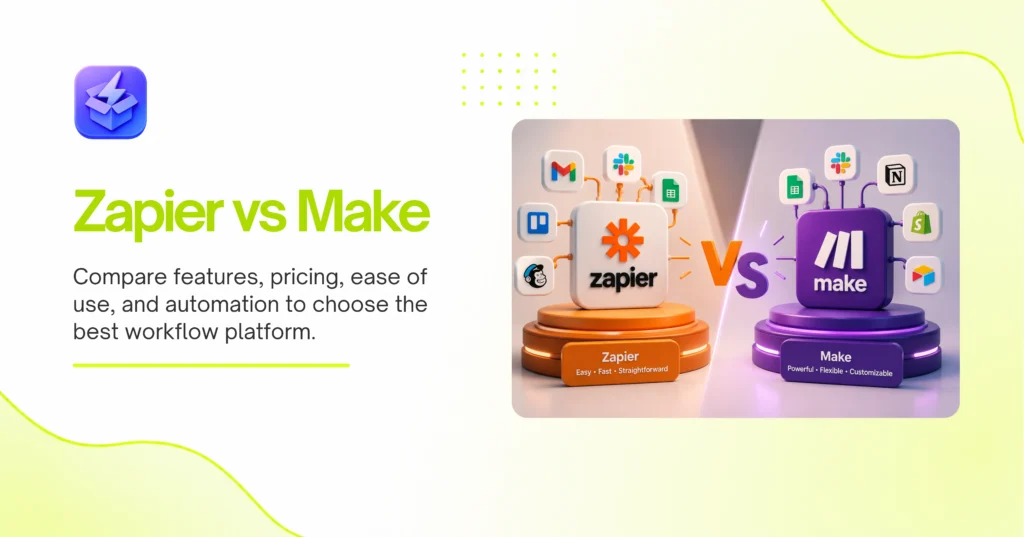
The choice of which plumbing tool they used dictates whether that Friday night setup scales to handle thousands of daily transactions or breaks down when a single field changes name. In the ongoing debate of Zapier vs Make, teams are choosing between two fundamentally different philosophies of workflow automation. You are either buying extreme simplicity at a premium price, or you are buying limitless technical flexibility that demands a steeper learning curve.
Quick Verdict
Zapier wins for business users who need immediate, simple integrations across a massive software ecosystem without writing a single line of code. Make dominates for technical operators and data engineers who require complex branching logic, multi-step data transformations, and high-volume task execution at a significantly lower cost.
At a Glance

The Short Answer
Zapier is the universal translator of the internet. It offers a linear, straightforward approach that gets a non-technical marketer building basic automations in ten minutes. The trade-off is a rigid structure and steep pricing tiers that actively punish high-volume usage. Make acts as a visual programming canvas. It handles advanced data arrays, circular workflows, and complex routing with ease. Consequently, it requires a steeper learning curve, demanding users understand concepts like data parsing and JSON structures. You pay a premium for Zapier’s simplicity. Make rewards your technical patience with immense scalability and lower operating costs.
Pricing Structures Punish Different Behaviors
Make wins the pricing battle decisively. Zapier charges a steep premium for access to basic logic features and multi-step paths, while Make offers significantly more operations for the same dollar amount. This makes Make the only logical choice for high-volume workflows.
Zapier structures its pricing around “Tasks.” A task counts every time a step in your workflow successfully moves data. If you have a five-step automation, a single trigger run consumes four tasks. Therefore, a modest workflow processing 100 leads a day quickly burns through 12,000 tasks a month. Zapier charges hundreds of dollars for this volume. Specifically, their Professional tier forces you into expensive upgrades just to use basic conditional logic called “Paths.”
Make use of “Operations.” An operation counts every time a module executes, regardless of whether it transfers new data. Make gives you 10,000 operations on its entry-level paid plan for around $10 a month. Consequently, you can run massive, multi-step workflows for a fraction of the cost.
Teams building out internal linking silos for SaaS for Business tools often need to process thousands of database rows daily. Zapier makes this financially unviable. Make allows you to scale these internal operations without watching your monthly software bill explode.
Visual Canvas Beats Linear Steps
Make provides a superior building experience. Its free-flowing visual canvas allows builders to see complex, multi-branch workflows at a single glance. Zapier forces users into a rigid, top-down linear list that becomes nearly impossible to read once you add multiple conditional paths.
When you build in Zapier, you scroll down a single column. Step one connects to step two. Step two connects to step three. If you introduce a branching path—for example, routing high-value leads to sales and low-value leads to an email sequence—Zapier hides these branches inside nested menus. Thus, understanding a complex workflow requires clicking into multiple hidden layers.
Make treats your automation like a mind map. You drag modules anywhere on an open grid. You connect them with visual lines. Accordingly, when a workflow splits into five different conditional routes, you see all five routes spreading out across your screen simultaneously.
This visual layout matters immensely during troubleshooting. You can instantly spot where a data flow bottlenecks. You can easily drag a new module into the middle of a complex web without breaking the surrounding connections. Zapier’s linear approach works perfectly for three-step zaps. It falls apart entirely when you build enterprise-grade logic.
Zapier Dominates the App Ecosystem
Zapier crushes Make in sheer volume of native integrations. With over 6,000 supported applications compared to Make’s roughly 1,500, Zapier almost guarantees your obscure niche software has a pre-built connector ready to use out of the box.
The modern tech stack relies heavily on specialized, niche applications. If your team adopts a brand-new AI Productivity tool, Zapier usually has a native integration for it within weeks. You simply authenticate your account, select a trigger from a dropdown menu, and start building.
Make takes much longer to roll out native app modules. If your specific tool is missing from Make’s library, you are not entirely out of luck. However, you must use Make’s generic HTTP module to build custom API calls. This requires reading developer documentation, formatting JSON payloads, and managing authentication headers manually.
Non-developers hit a hard wall here. Zapier abstracts all that API complexity away. Make forces you to confront it. For companies relying on a long tail of obscure industry-specific software, Zapier remains the undisputed king of connectivity.
Advanced Logic Requires Better Tools
Make takes the crown for complex data manipulation. It handles iterators, aggregators, and JSON parsing natively within the visual builder. Zapier forces users to rely on clunky built-in formatter tools or write custom Python scripts to achieve the exact same results.
Data rarely moves in neat, single packages. Often, you receive an array of data. For instance, a single webhook from a shopping cart might contain an array of five different purchased items. You need to create a separate database row for each item.
Make provides a dedicated “Iterator” module specifically for this scenario. It takes the array, splits it into individual bundles, and runs the subsequent steps for each item automatically. Later in the workflow, an “Aggregator” module can bundle those separate items back together into a single email summary.
Zapier struggles heavily with arrays. Its native “Looping” feature is restricted and prone to breaking. To process complex arrays in Zapier, you almost always have to deploy custom code blocks.
Consider a real-world SEO application. If you pull a massive keyword report fautomatically runs the subsequent steps for each item from, it automatically the ZipTie AI Search Performance Tool, that data arrives as a dense JSON array. Make parses this naturally, allowing you to iterate through hundreds of keywords and route them to different Google Sheets tabs based on search volume. Zapier would require significant custom scripting to handle that same payload gracefully.
Error Handling Dictates Reliability
Make handles errors with surgical precision, allowing you to build specific fallback routes for individual modules. Zapier takes a blunt approach, simply pausing the entire workflow and sending an email alert when a single step fails.
Automations break constantly. APIs time out. Passwords expire. Fields get deleted. The way an integration platform handles these inevitable failures determines your operational uptime.
In Make, you can attach an “Error Handler” route to any specific module. If your primary CRM API is down, Make catches the error. It then routes the data down a fallback path, perhaps saving the payload to a backup spreadsheet or trying a secondary API key. Specifically, make offers advanced directives like “Resume,” “Ignore,” “Break,” and “Rollback.” You control exactly how the system recovers from a failure.
Zapier lacks this granular control. If step four of a ten-step Zap fails, the entire run stops dead. Zapier sends you an automated email notifying you of the failure. You must manually fix the issue and replay the failed task. Consequently, a temporary API glitch can halt your entire lead routing system until a human intervenes.
If you are processing financial transactions or mission-critical data, Make’s error routing is non-negotiable. It prevents isolated failures from causing system-wide outages.
Data Transformation and Formatting
Make provides superior native tools for transforming data formats mid-workflow. It allows builders to use complex spreadsheet-style formulas directly inside any input field. Zapier requires dedicated formatting steps that consume your task allowance and clutter the workflow.
When moving data between systems, dates rarely match. A CRM might output a date as “MM/DD/YYYY”, while a billing system requires an ISO 8601 timestamp. Text strings often need capitalization, and phone numbers require specific country codes.
In Make, you click into any field and write a formula directly. You can nest functions like formatDate(parseDate(1.created_at); "YYYY-MM-DD") right inside the final destination module. This keeps the workflow visually clean.
Zapier approaches this differently. You must add a specific “Formatter” step to your linear workflow. You configure the Formatter to change the date, and then map the output of that Formatter to your final destination. Consequently, a workflow requiring date formatting, text capitalization, and number parsing requires three extra steps.
This inflates your task usage and makes the Zap needlessly long. Make’s inline formula approach mirrors how developers actually write code, providing immense power without adding unnecessary modules to the canvas.
Who Should Pick Zapier
Marketing teams, sales operations managers, and non-technical founders should choose Zapier. It is built explicitly for business users who value speed and simplicity over technical perfection.
If your primary goal is to connect a Facebook Lead Ad to HubSpot and send a Slack notification, Zapier gets the job done in minutes. You do not need to understand APIs, webhooks, or JSON. The massive app ecosystem ensures your tools are supported. The premium price tag is easily justified by the engineering hours you save by not having to write custom integration code.
Who Should Pick Make
Revenue operations professionals, data engineers, and specialized automation agencies should choose Make. It is designed for builders who need to construct complex, resilient systems at scale.
If you are processing thousands of webhook payloads daily, manipulating dense data arrays, or building internal tools that require strict error handling, Make is the superior platform. It requires you to understand basic programming concepts and API structures. However, once you pass the initial learning curve, Make offers limitless flexibility and a pricing model that actually supports high-volume enterprise automation.